
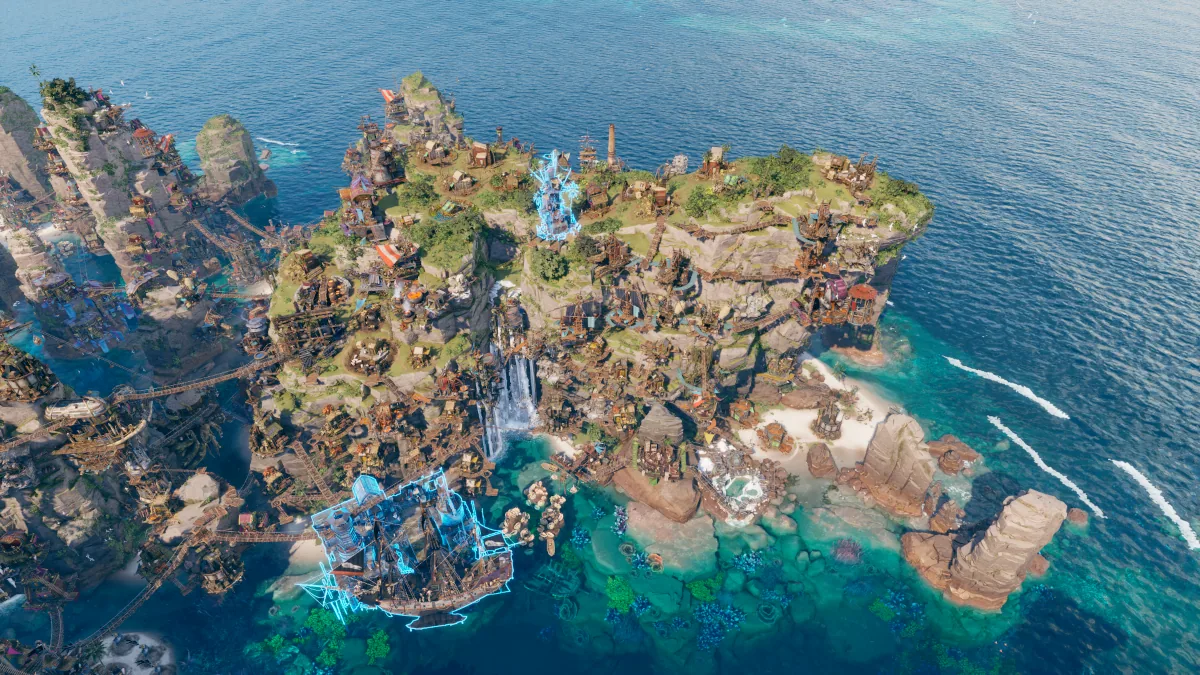
A production diagram can tell you what a balanced chain might look like. It cannot prove that your fetchers, routes, storage and Pier placement will deliver the same throughput. Use the diagrams to form a plan, then diagnose the current save with visible game data.
Read each chain without overclaiming it
The source author says the general chains use base production without upgrades or All Hands on Deck.
Counts are community-calculated capacity targets, not a guarantee of delivered throughput.
Add demand from every downstream consumer before rounding the upstream building count.
Ship diagrams may mark a building that the author says needs All Hands on Deck or an upgrade.
Do not mix assumptions. If one building has a bonus and another does not, compare their visible rates individually. A blanket percentage cannot repair a missing input or a slow route.
Plan around demand and connection quality
The source guide recommends correcting red connections, rerouting accidental long links and clustering compatible chains near deposits or fertile areas. It also treats ship Piers as major consumption centers because increasingly complex crews pull supplies into their assigned Pirate Camp.
- Select the consumer and identify its immediate missing input.
- Inspect red or indirect connections before adding another producer.
- Reroute a consumer when it attached to a distant source during construction.
- Cluster compatible chains where their required deposits are genuinely nearby.
- Reassign a Pier to a more suitable Pirate Camp when the current service area creates avoidable travel.
- Use All Hands on Deck selectively and confirm the staffing cost in the current save.
Use warehouses as controlled handoff points
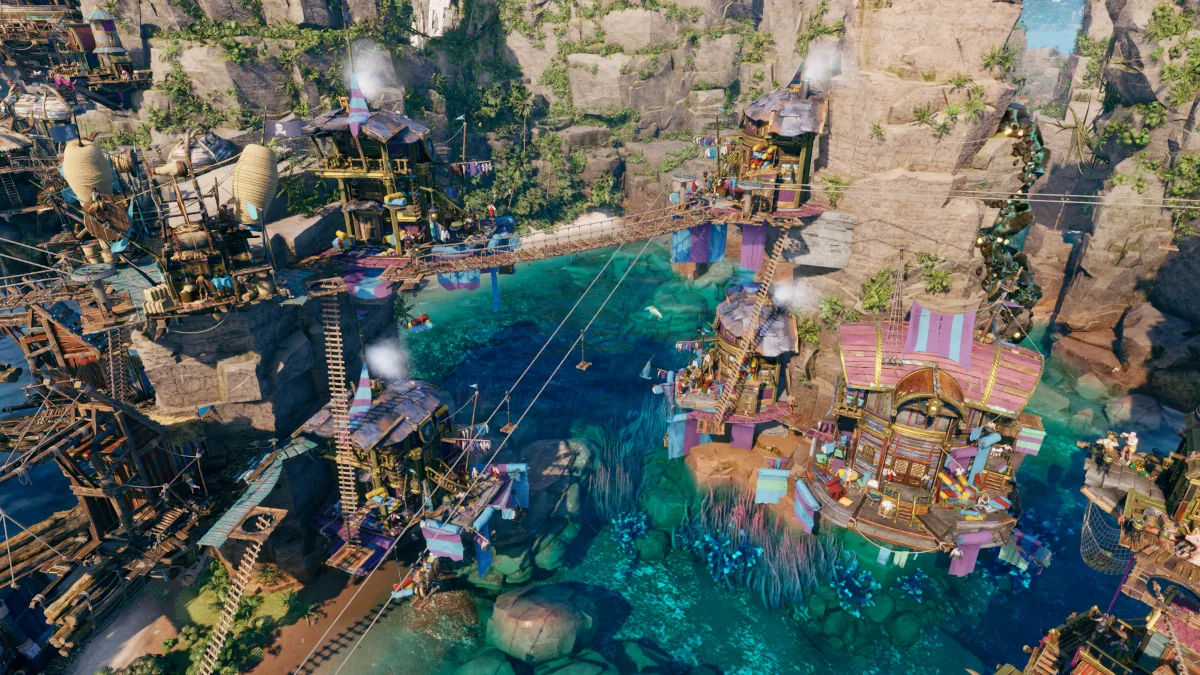
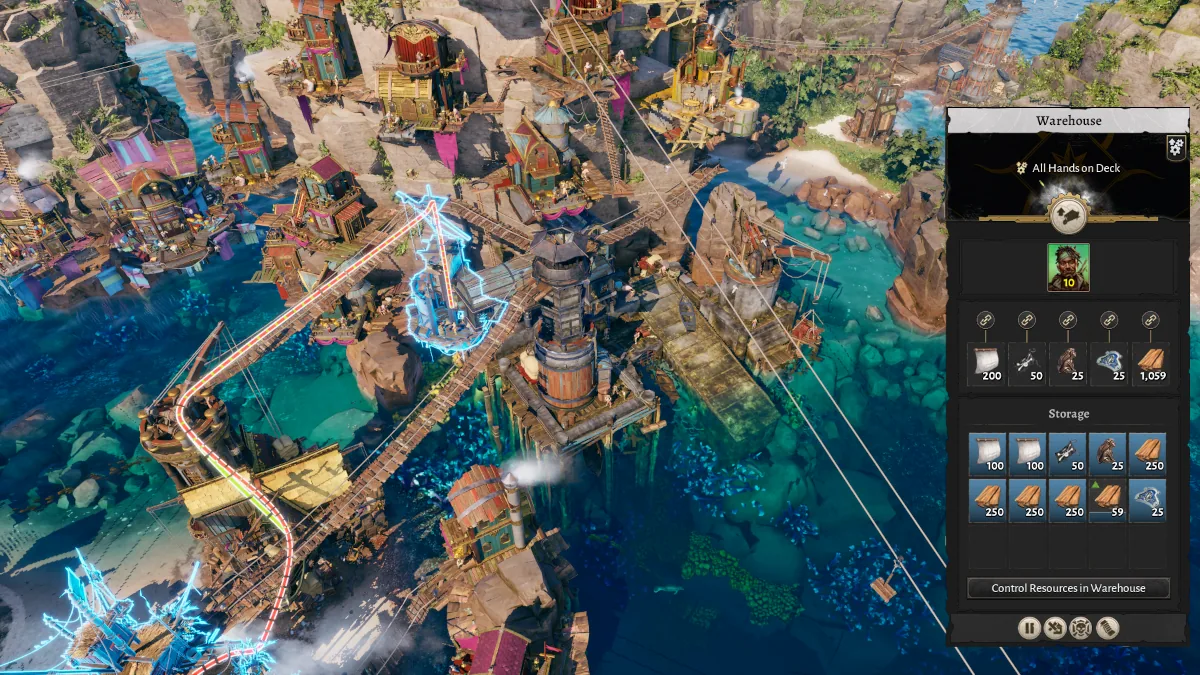
The community guide suggests keeping repair and construction materials in a warehouse beside the Pier, using configured warehouses as collection hubs, and chaining warehouses or Aerial Lifts to reach distant deposits. This can make the network easier to inspect, but every extra handoff still needs workers and a working route.
- 01Define the job
Decide whether the warehouse collects output, supplies a Pier or bridges two districts.
- 02Limit the inventory
Configure slots for the goods that serve that job instead of accepting unrelated stock.
- 03Check both sides
A full source and empty destination often indicate transport capacity, route or assignment trouble.
- 04Add one handoff at a time
Confirm movement before extending a warehouse chain across another elevation.
Corsair Cove production chains
These diagrams are grouped by the job of the final product. They reproduce the source author's base-chain plans; they do not silently add planner values to the site's verified dataset.
Construction resources
Basic construction chains used while expanding the haven.
Planks
Community-planned base chain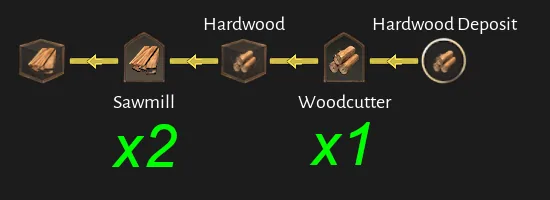
Stone Blocks
Community-planned base chain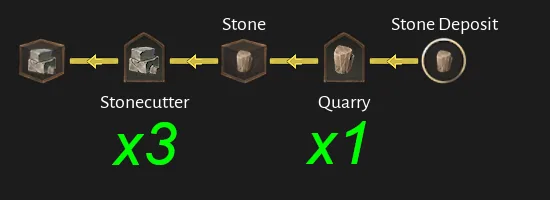
Tabby
Community-planned base chain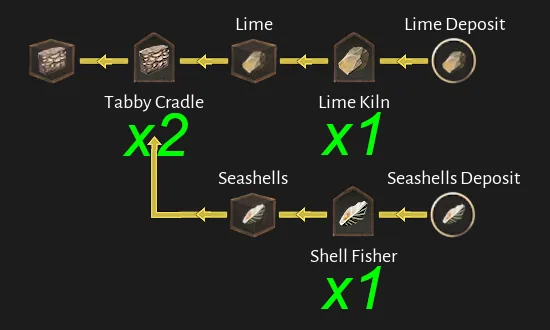
Food
Galley supplies shown as complete community-planned chains.
Stew (Pig)
Community-planned base chain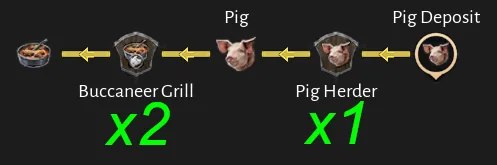
Stew (Fish)
Community-planned base chain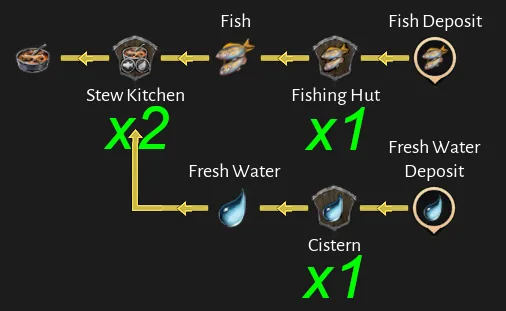
Cassava Bread
Community-planned base chain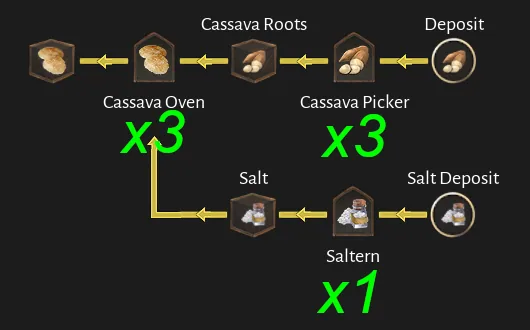
Turtle Soup
Community-planned base chain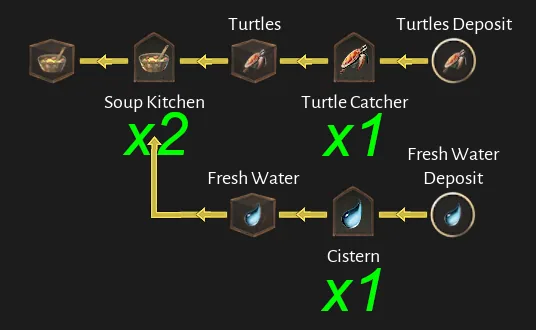
Roast Bird
Community-planned base chain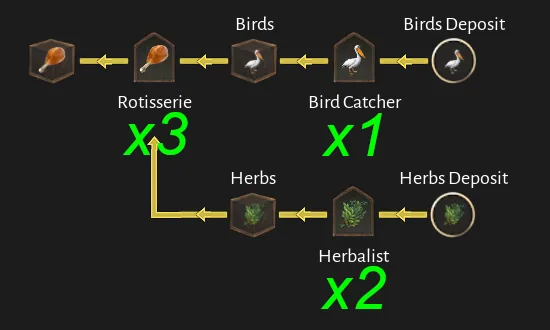
Hardtack
Community-planned base chain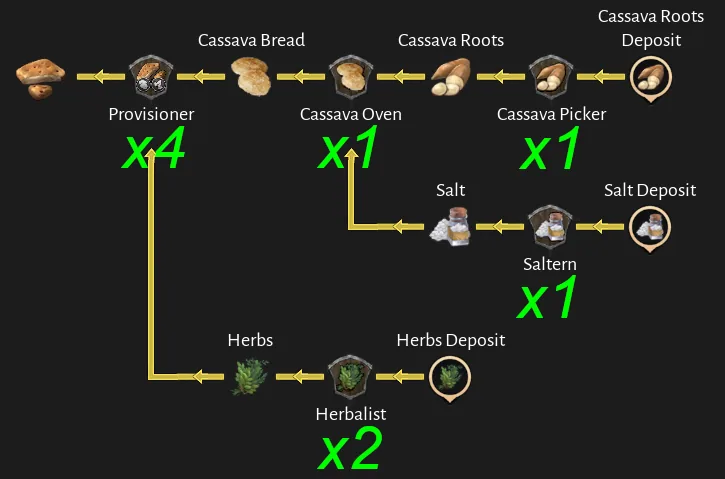
Drink
Cider, beer and rum chains used to supply tavern demand.
Booze (Cider)
Community-planned base chain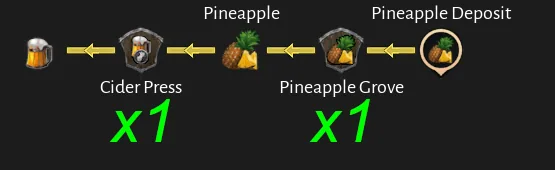
Booze (Beer)
Community-planned base chain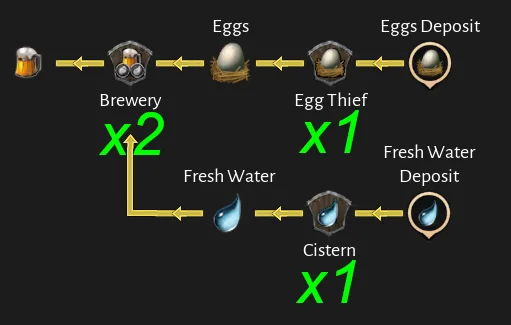
Rum
Community-planned base chain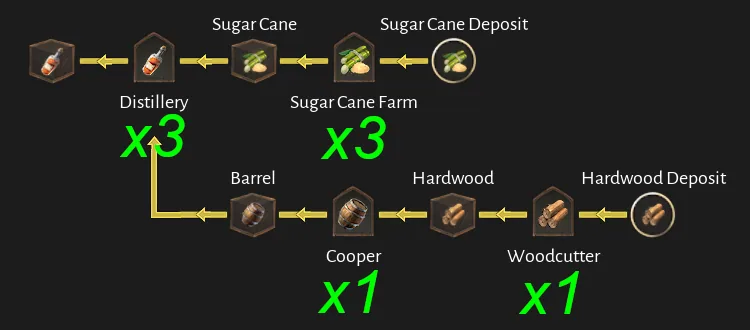
Ship materials
Construction and repair materials that eventually converge on ship Piers.
Rope
Community-planned base chain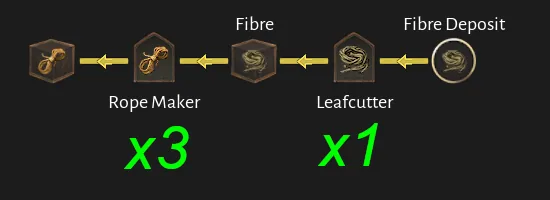
Sails
Community-planned base chain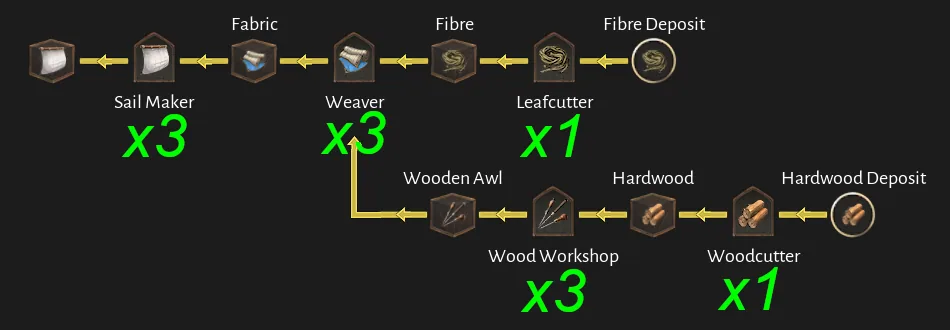
Pitch
Community-planned base chain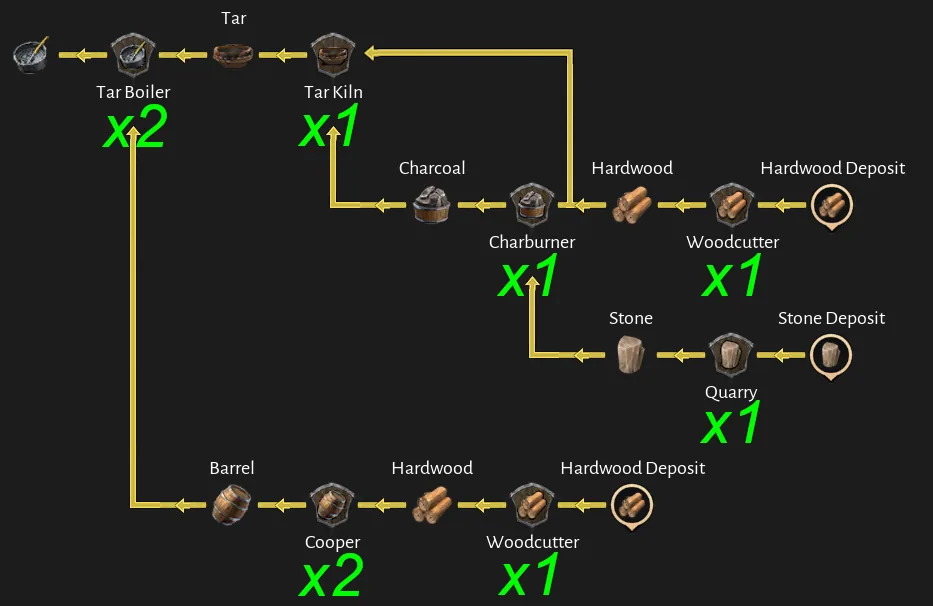
Figurehead
Community-planned base chain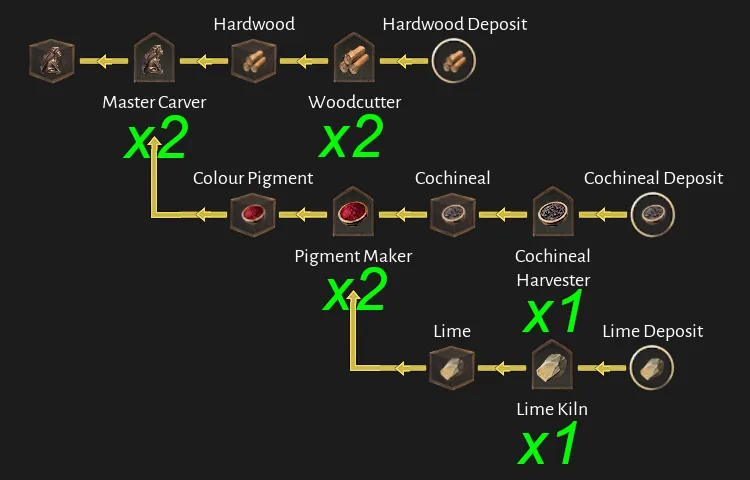
Jolly Roger
Community-planned base chain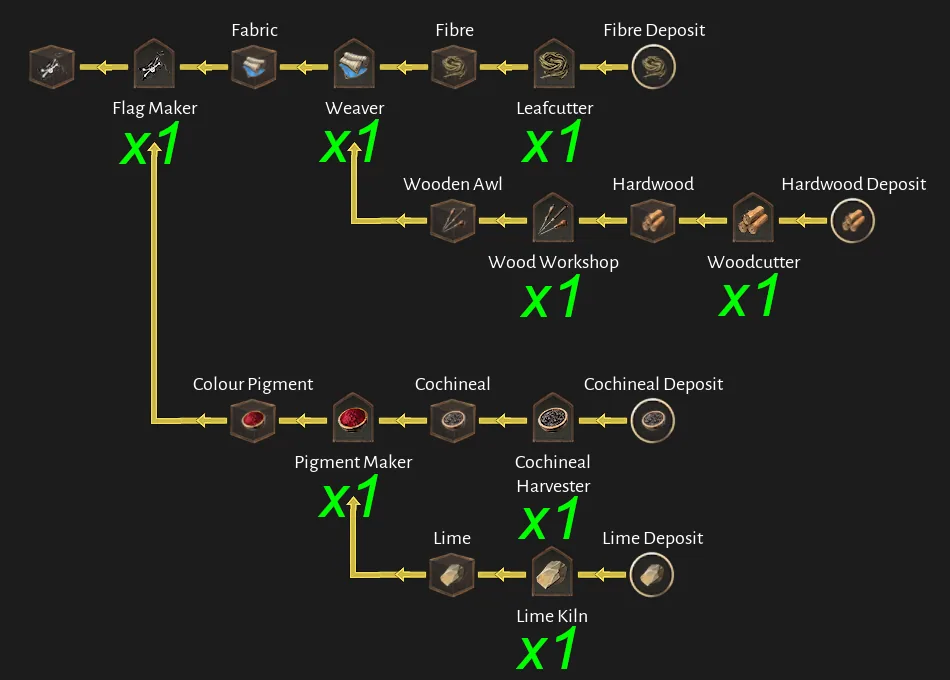
Fittings
Community-planned base chain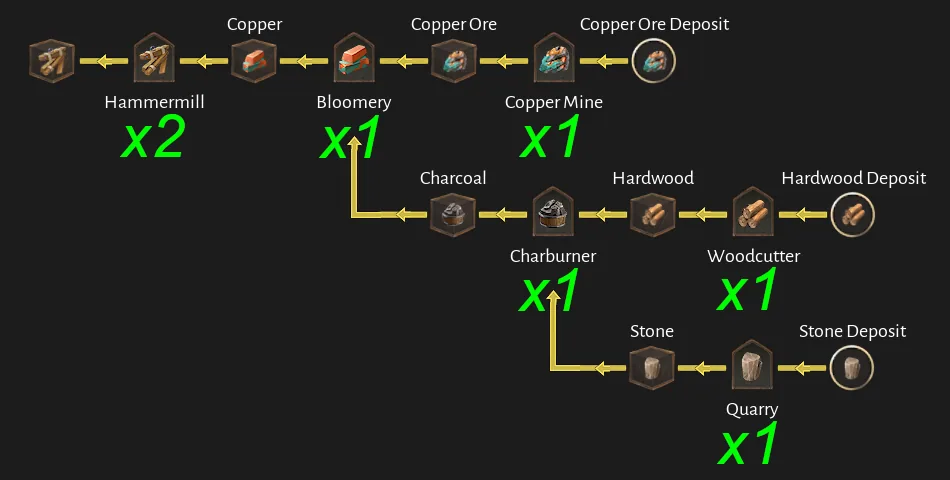
Steel Chains
Community-planned base chain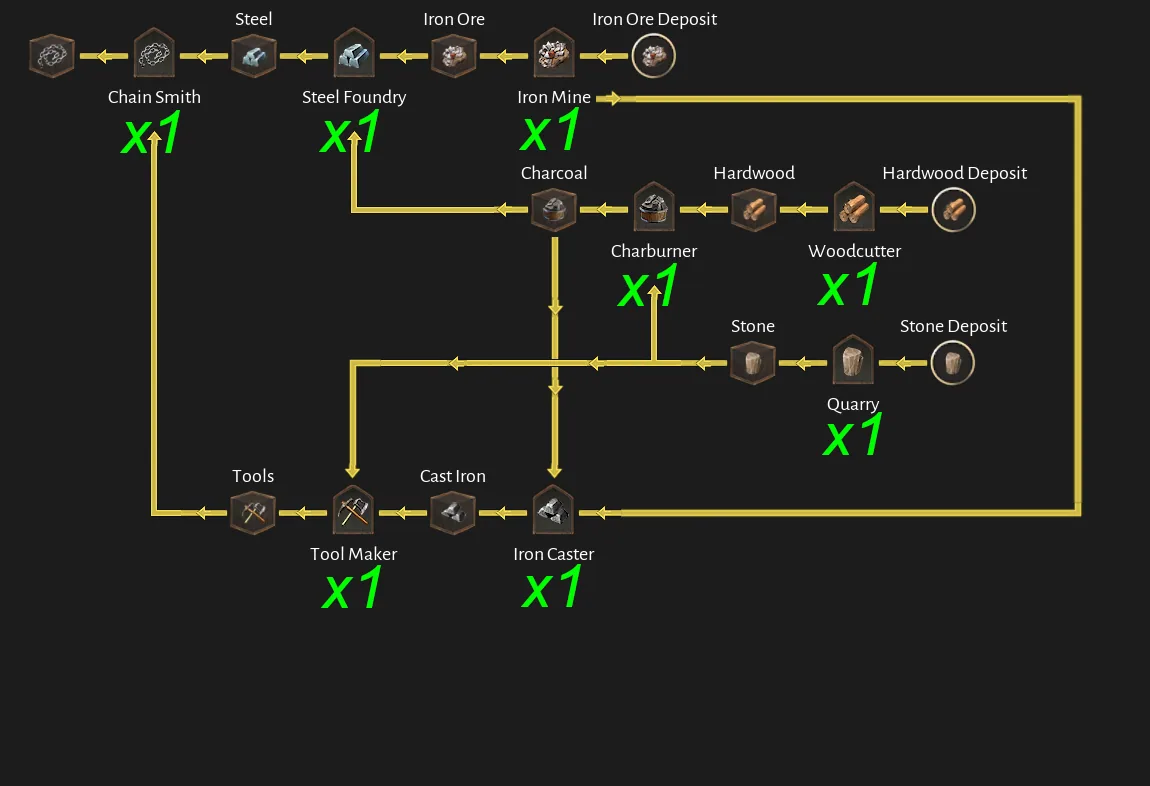
Silver Lining (Steel)
Community-planned base chain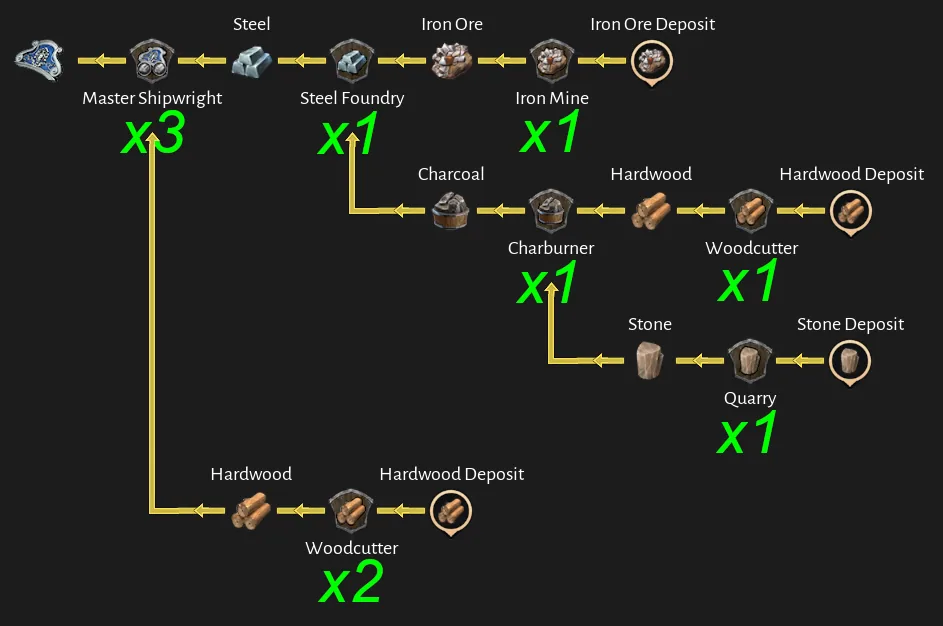
Copper Lamp (Copper)
Community-planned base chain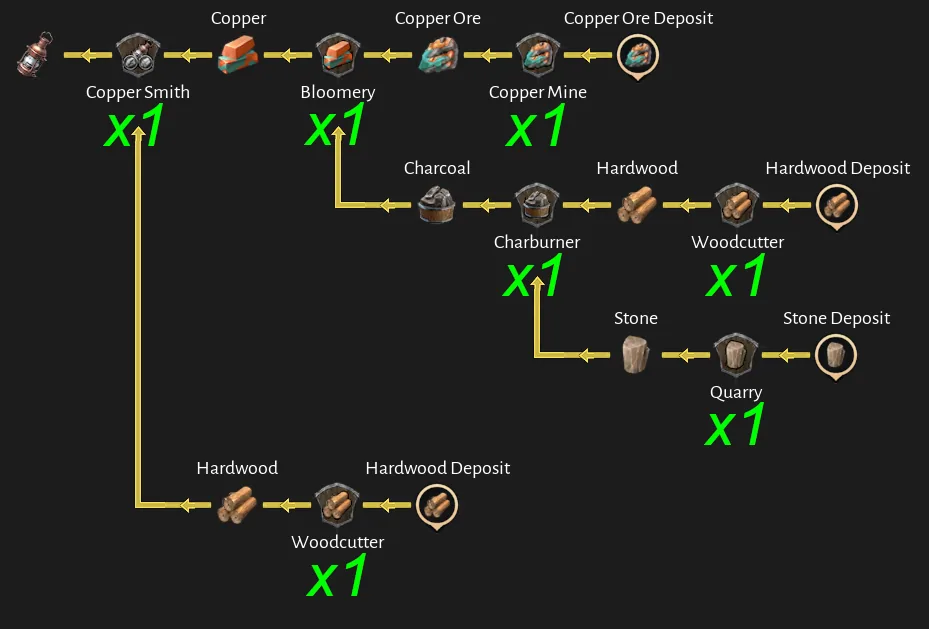
Equipment
Goods consumed through the outfitter, barber surgeon or marketplace.
Boots
Community-planned base chain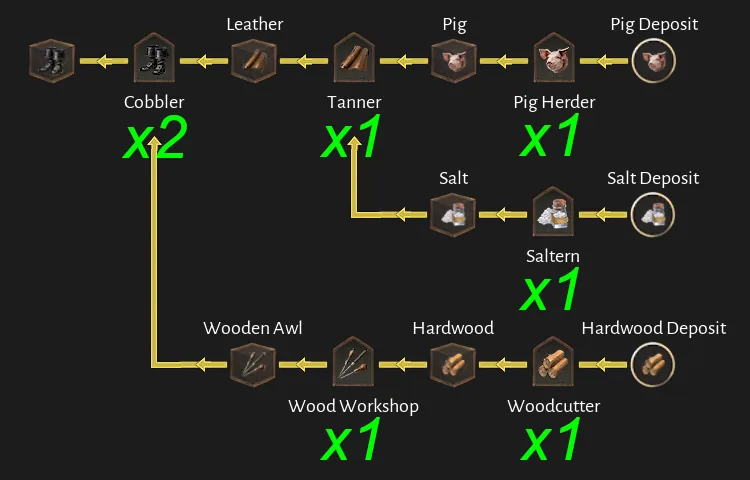
Slops
Community-planned base chain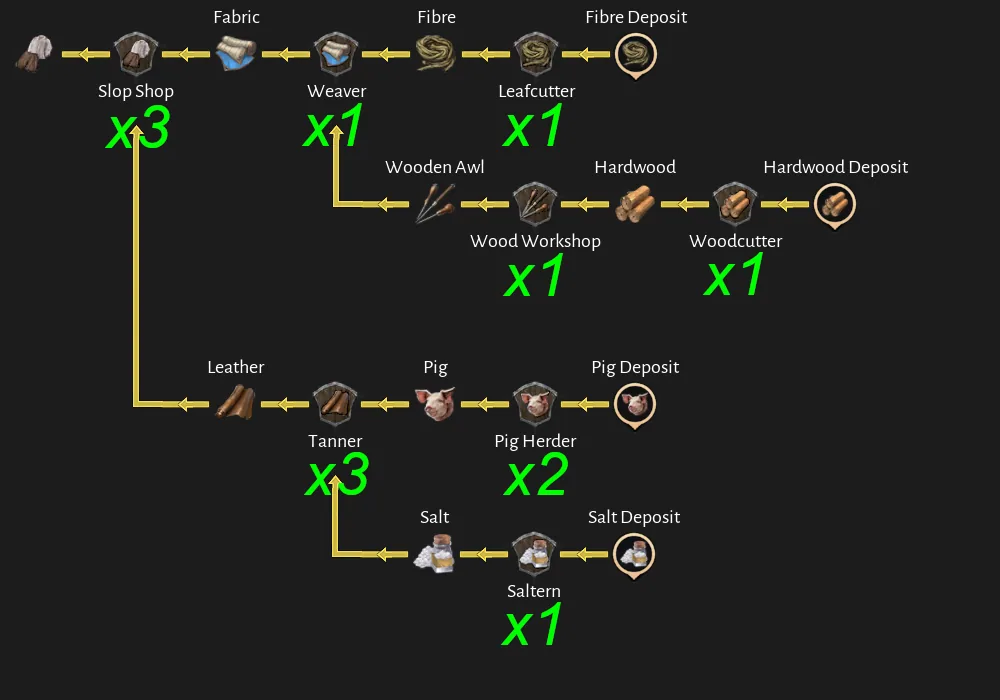
Medicine
Community-planned base chain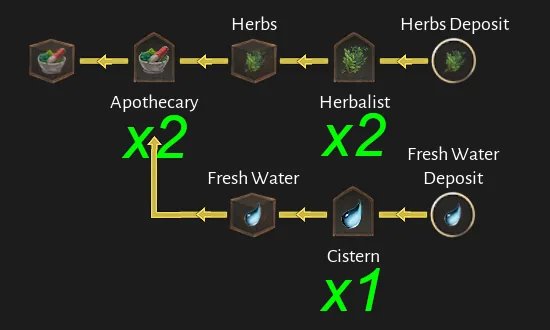
Tattoo Ink
Community-planned base chain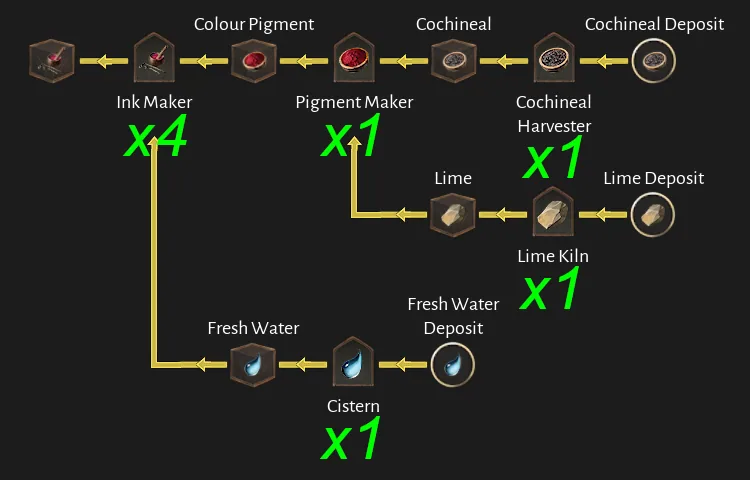
Eyepatch
Community-planned base chain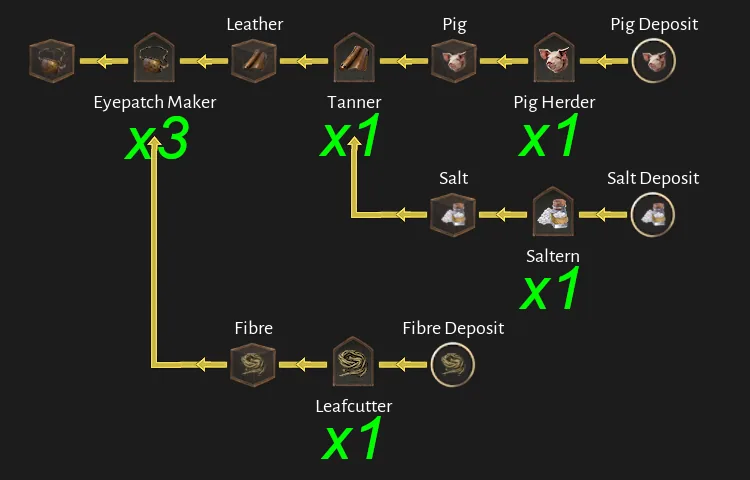
Prosthesis
Community-planned base chain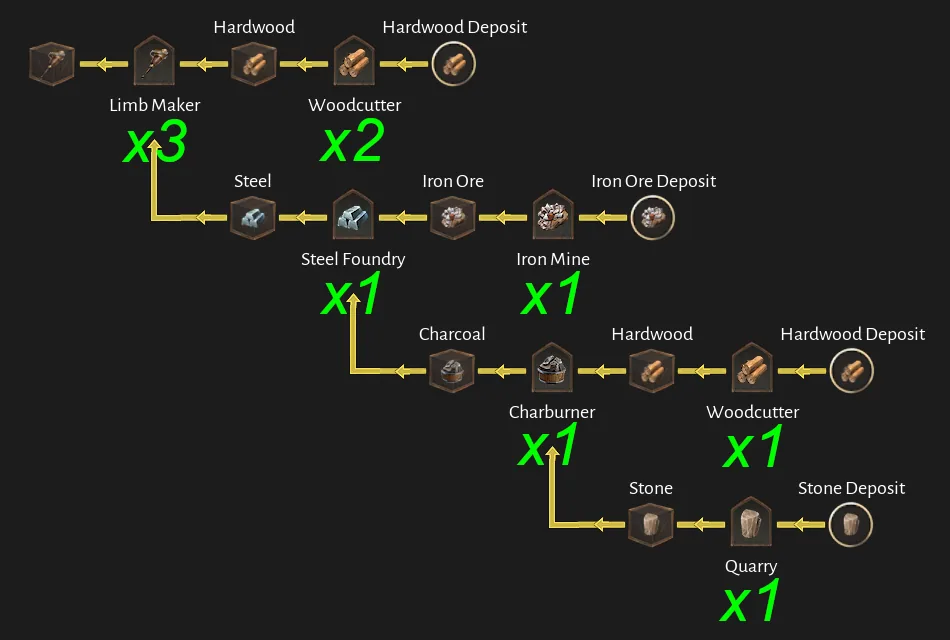
Jewellery
Community-planned base chain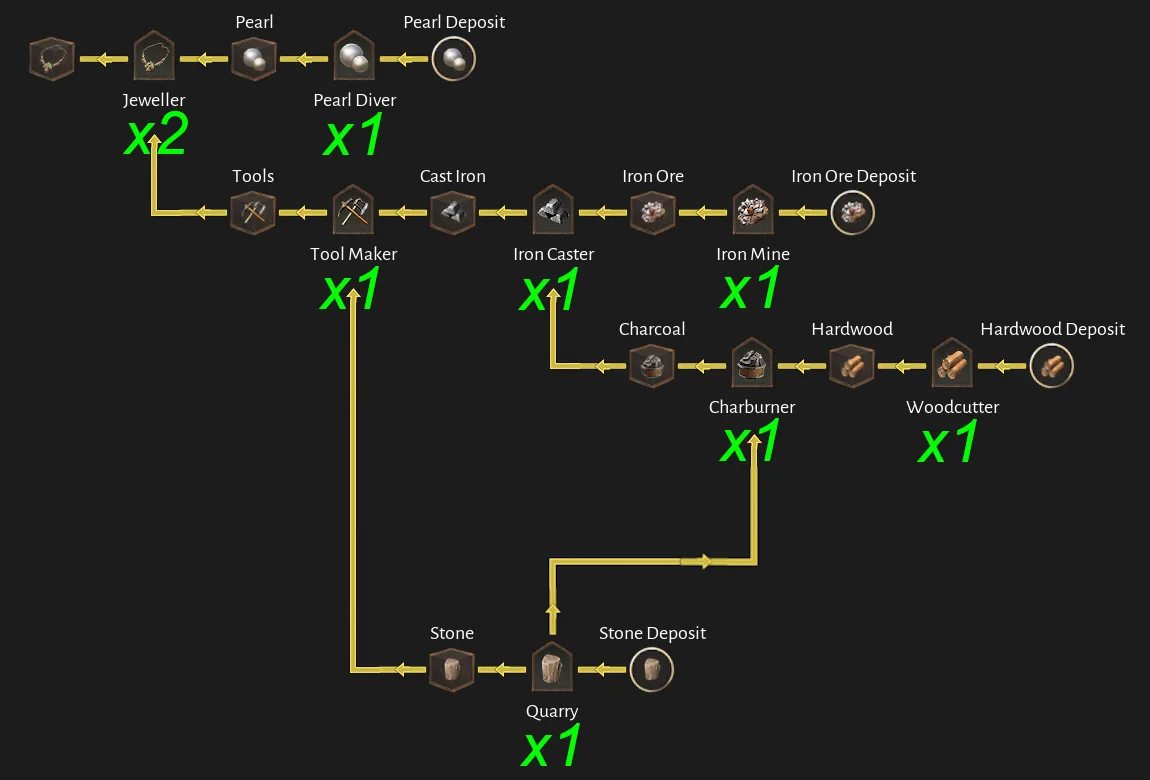
Fancy Clothing
Community-planned base chain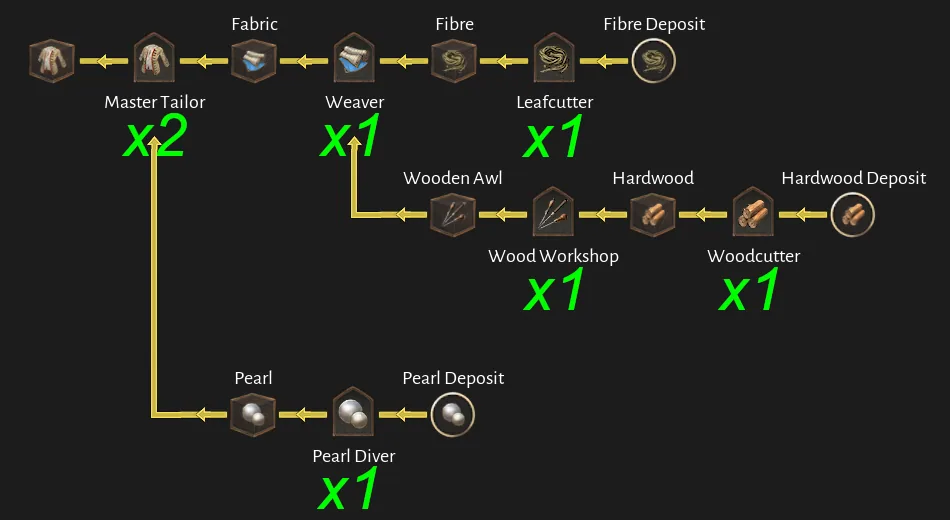
Weapons
Arsenal upkeep and ship-construction chains.
Black Powder
Community-planned base chain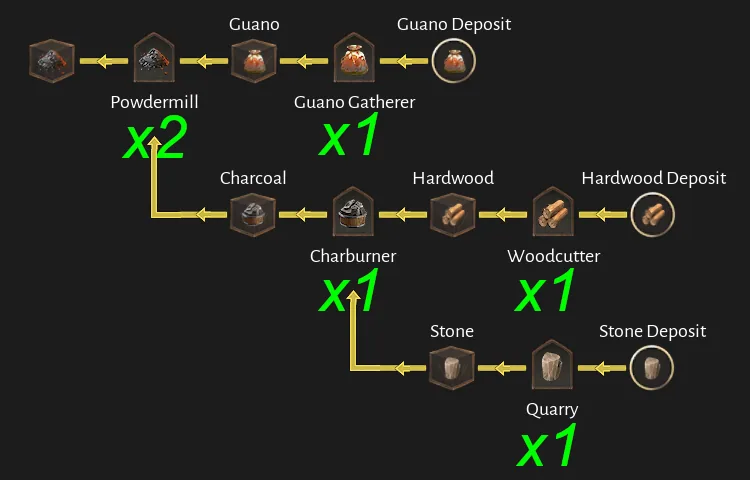
Cannonball
Community-planned base chain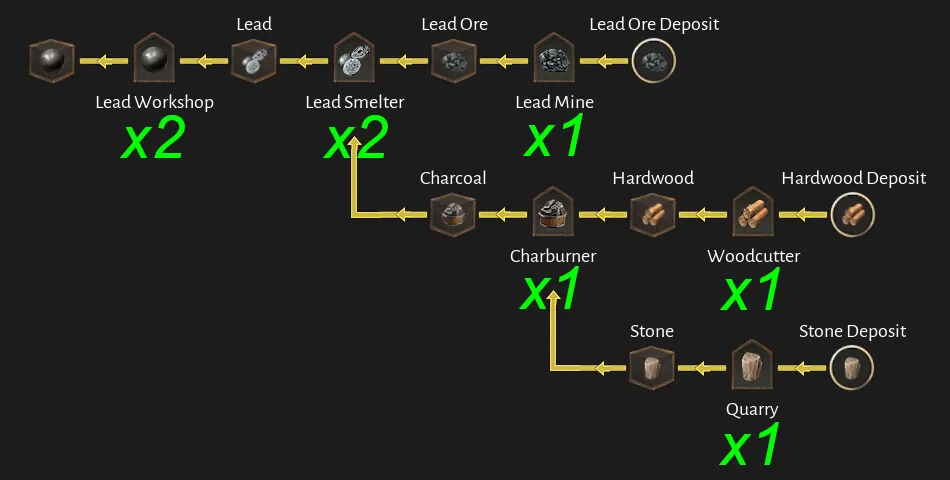
Naval Gun
Community-planned base chain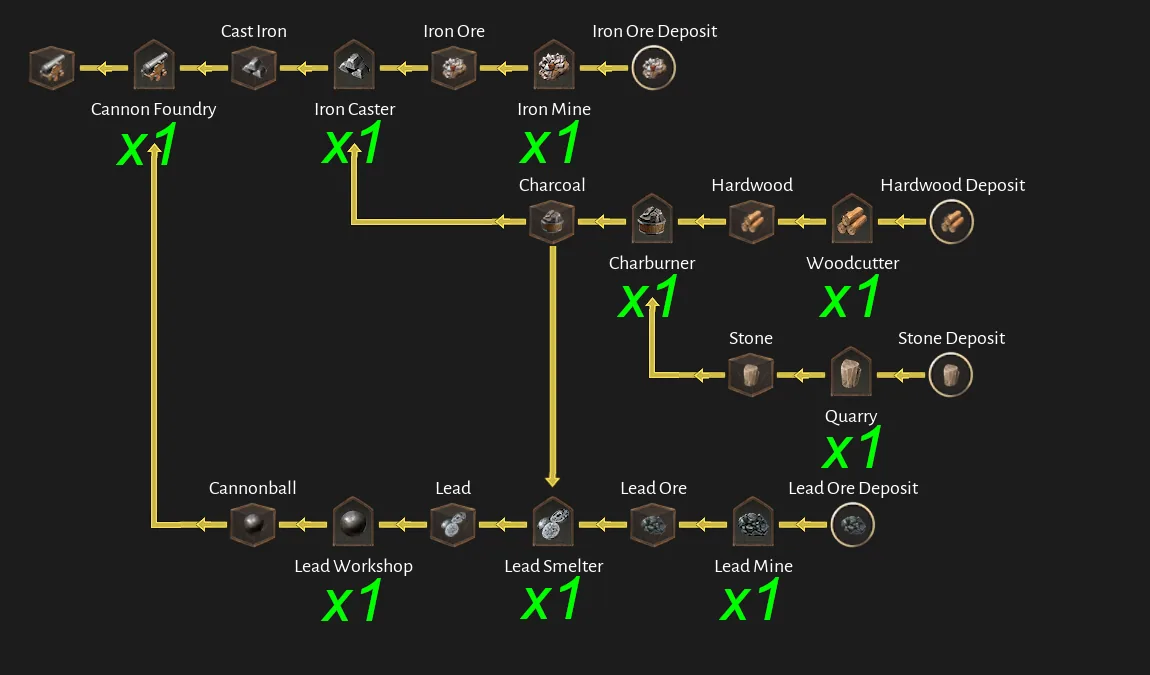
Pistols
Community-planned base chain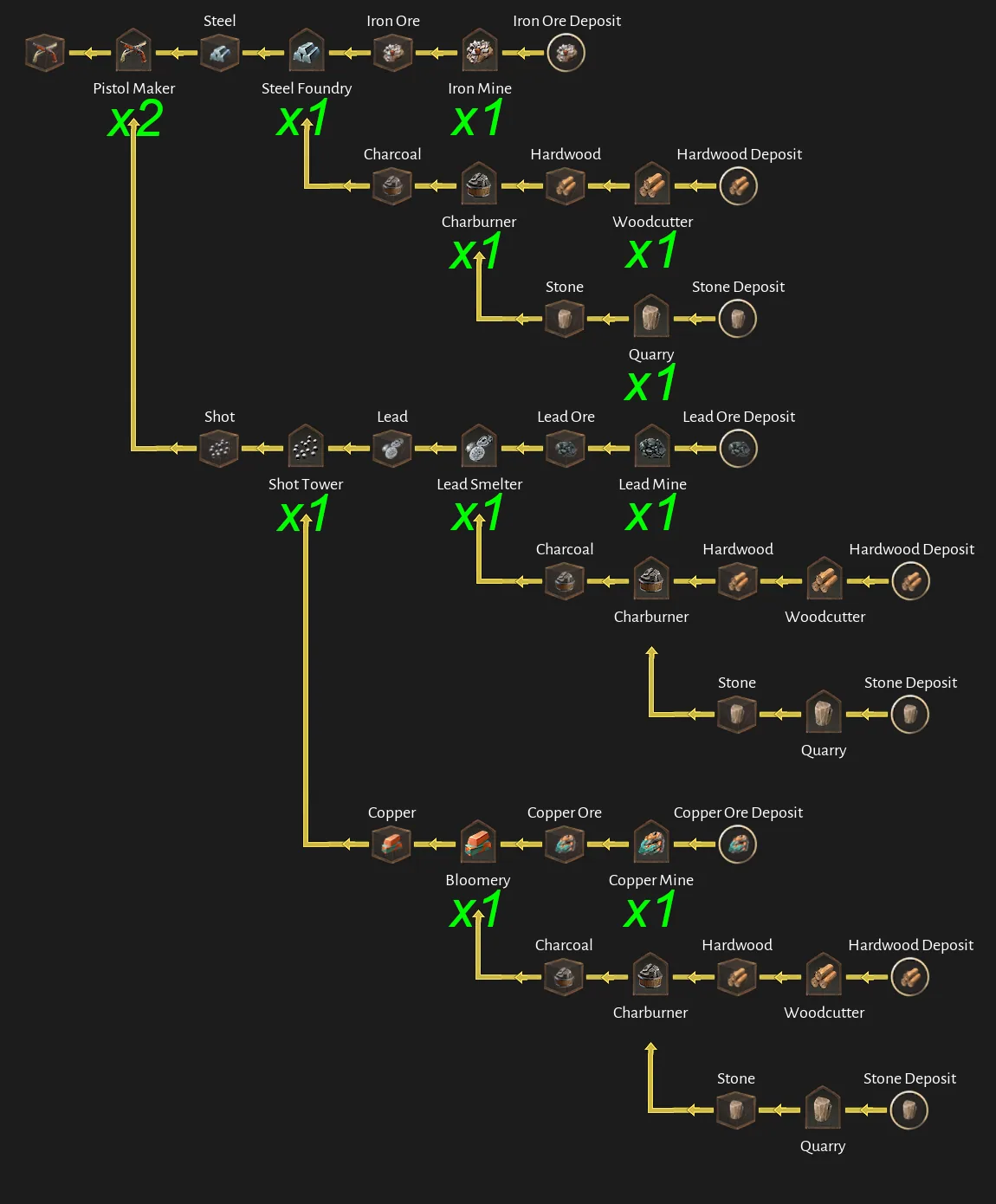
Ship production and upkeep chains
The source author describes these as the building counts required to sustain the listed ships without general production boosts, with exceptions marked in the diagrams. We present them as community-calculated baselines. Before copying a layout, compare the Pier's current demand, active bonuses and shared upstream requirements.
Best use: turn the relevant ship diagram into a checklist, then build only enough to resolve the first measured shortage. This reduces overbuilding and makes shared-input demand easier to see.
Level 2 ships
Moonlight, Azimuth, Tide Runner & Huracan
Community-calculated ship baseline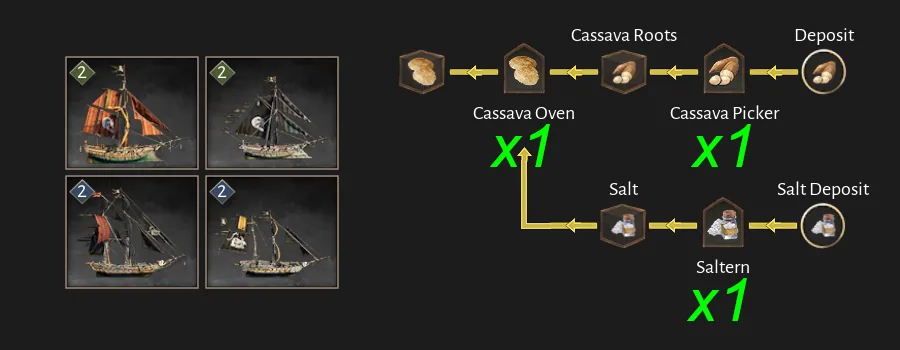
Iron Fist, Steel Edge, Sharktooth & Goldseeker
Community-calculated ship baseline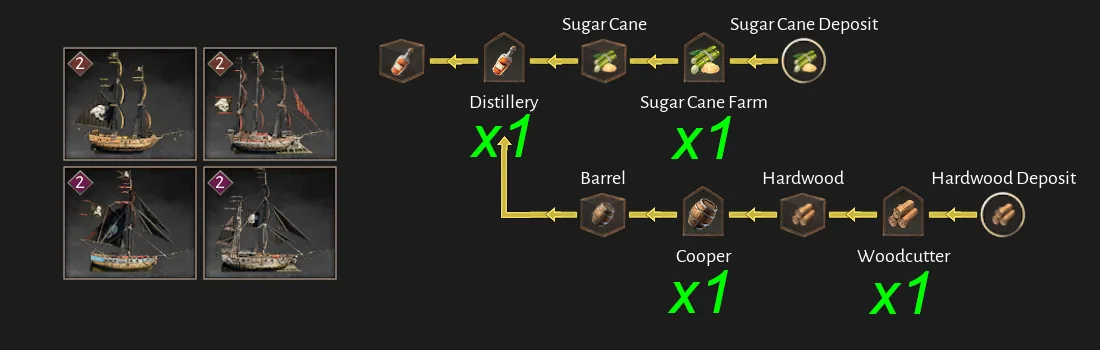
Level 3 ships
Nightshade
Community-calculated ship baseline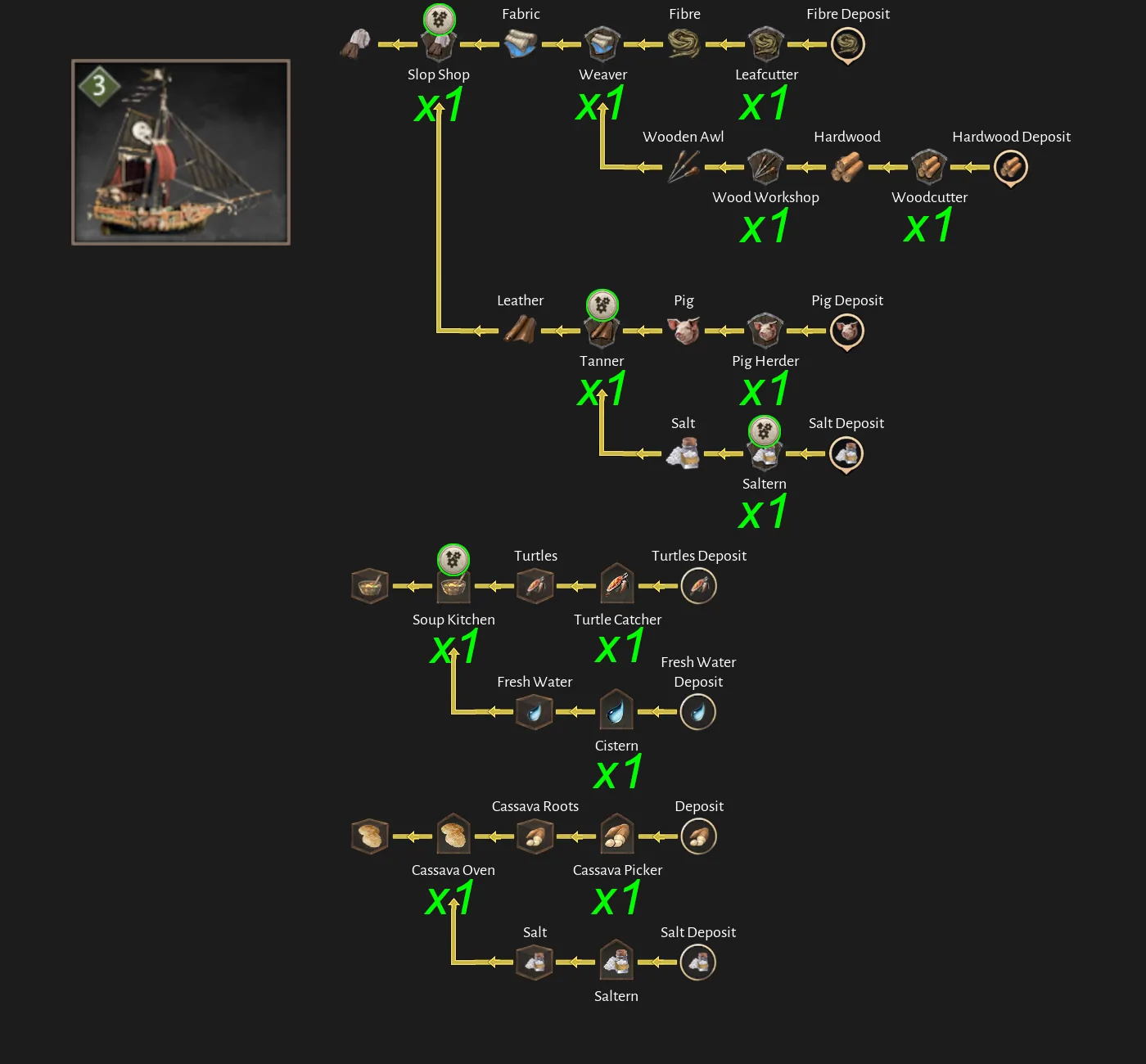
Yoke Breaker
Community-calculated ship baseline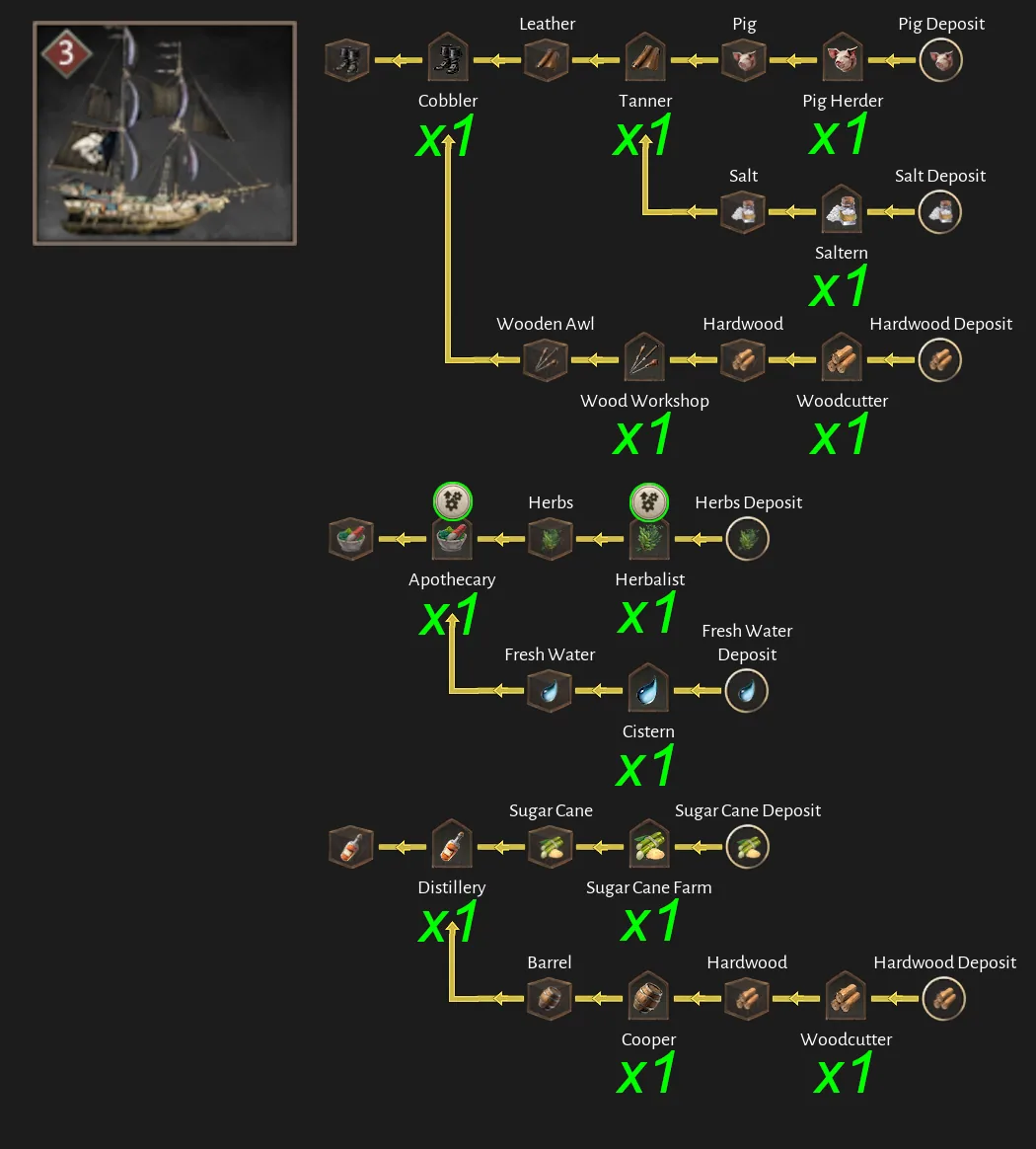
Tempest
Community-calculated ship baseline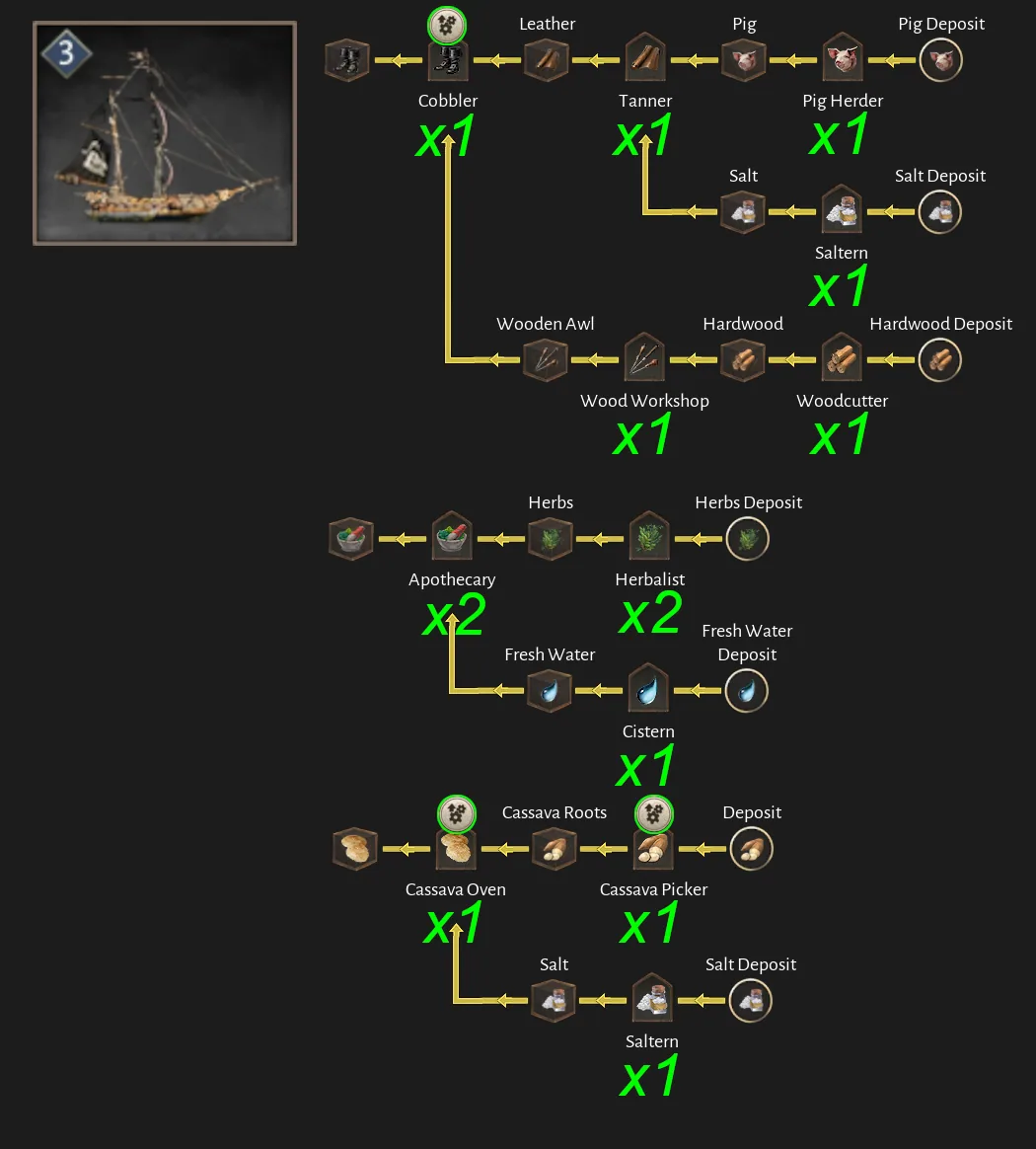
Wolfhound
Community-calculated ship baseline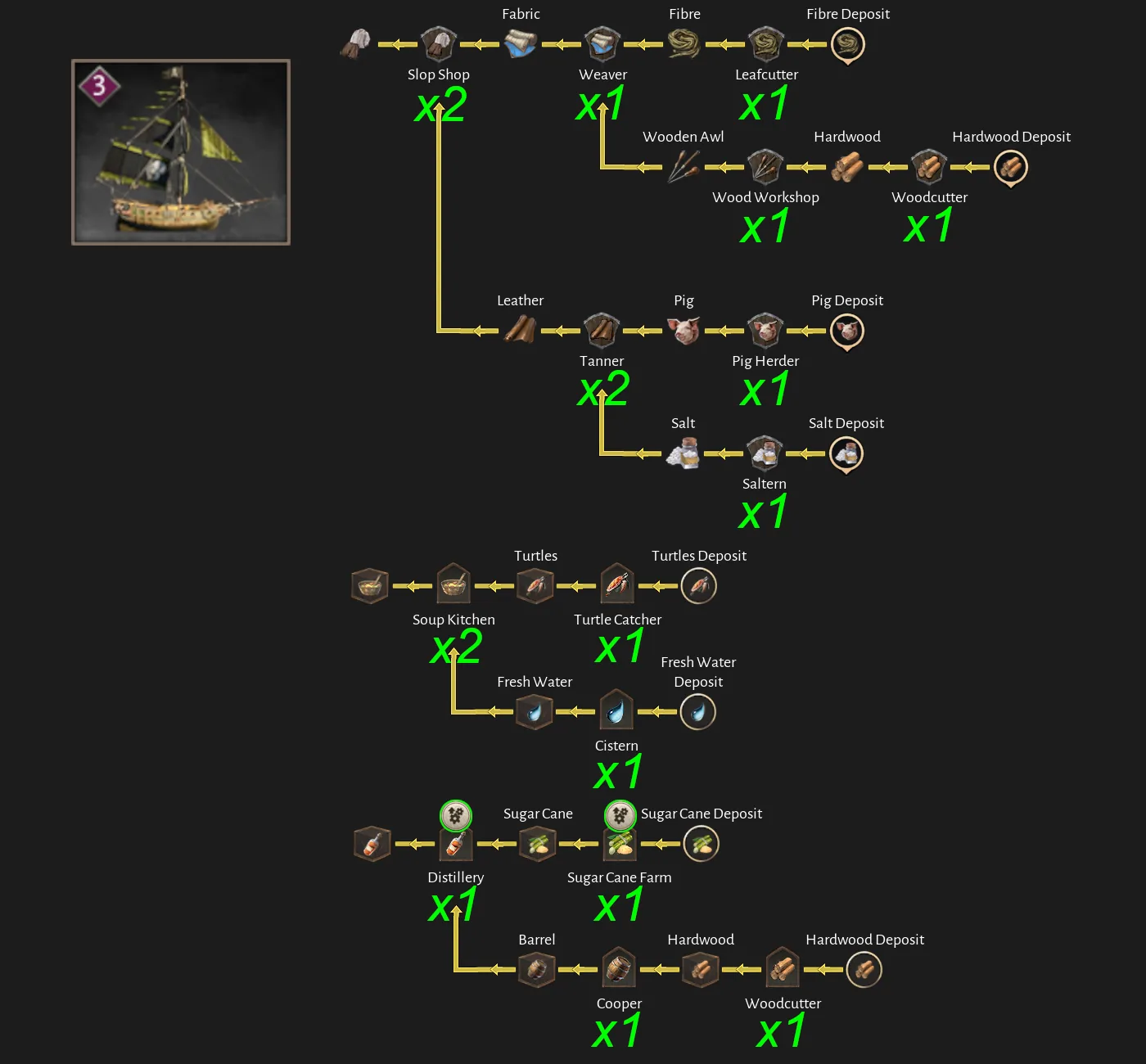
Level 4 ships
Rogue & Vulture
Community-calculated ship baseline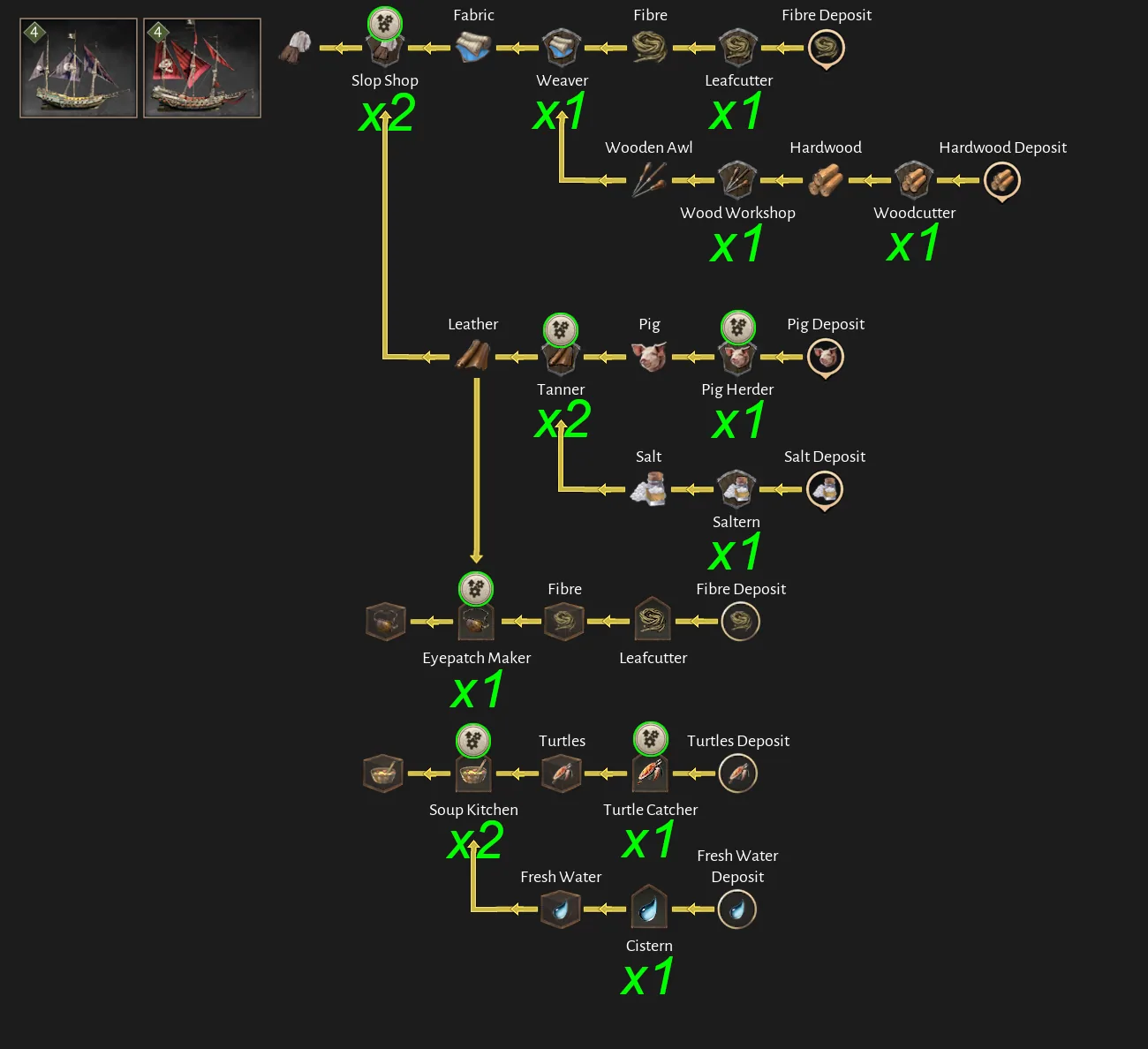
Sea Dragon & Ravager
Community-calculated ship baseline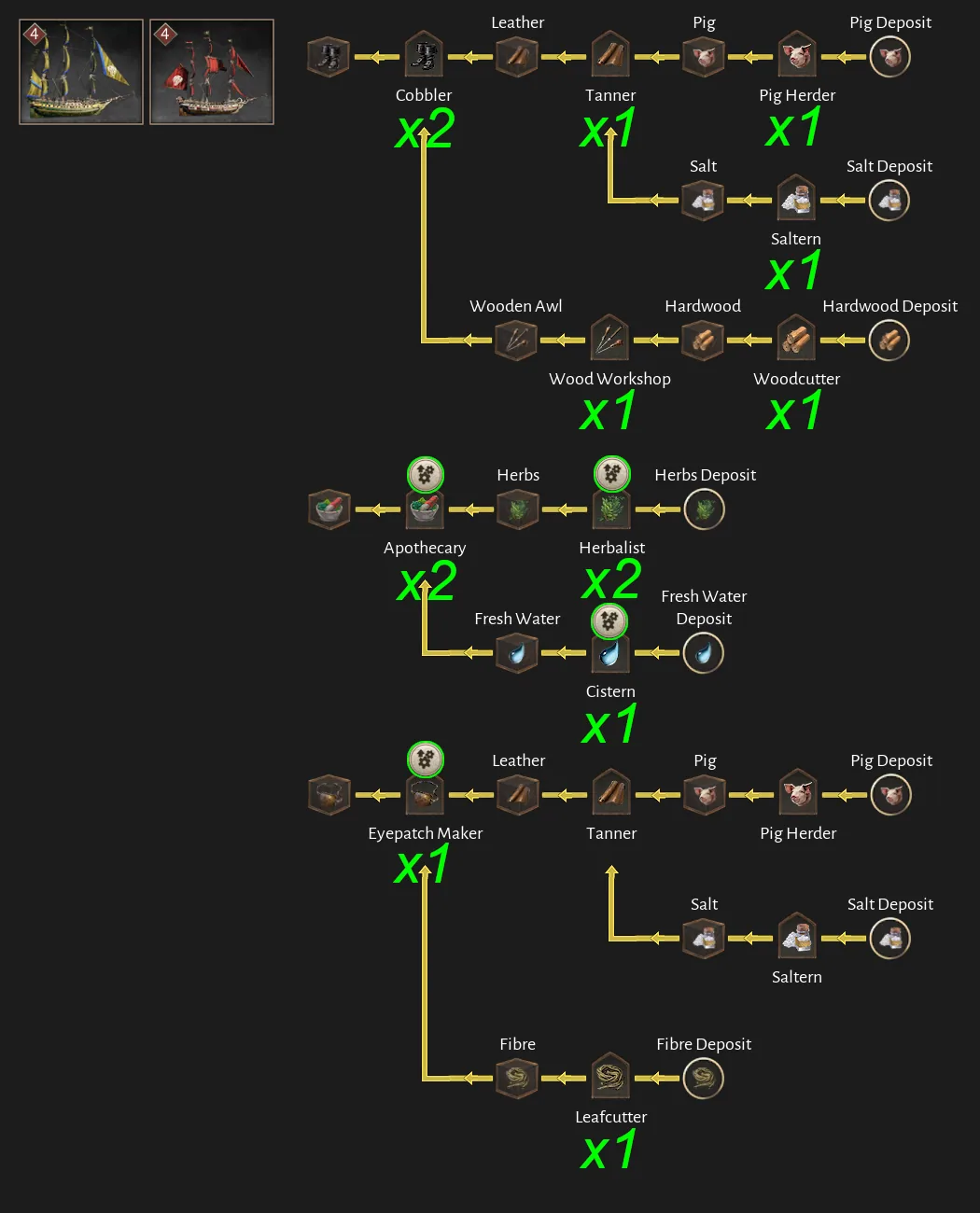
Fortune & Catshark
Community-calculated ship baseline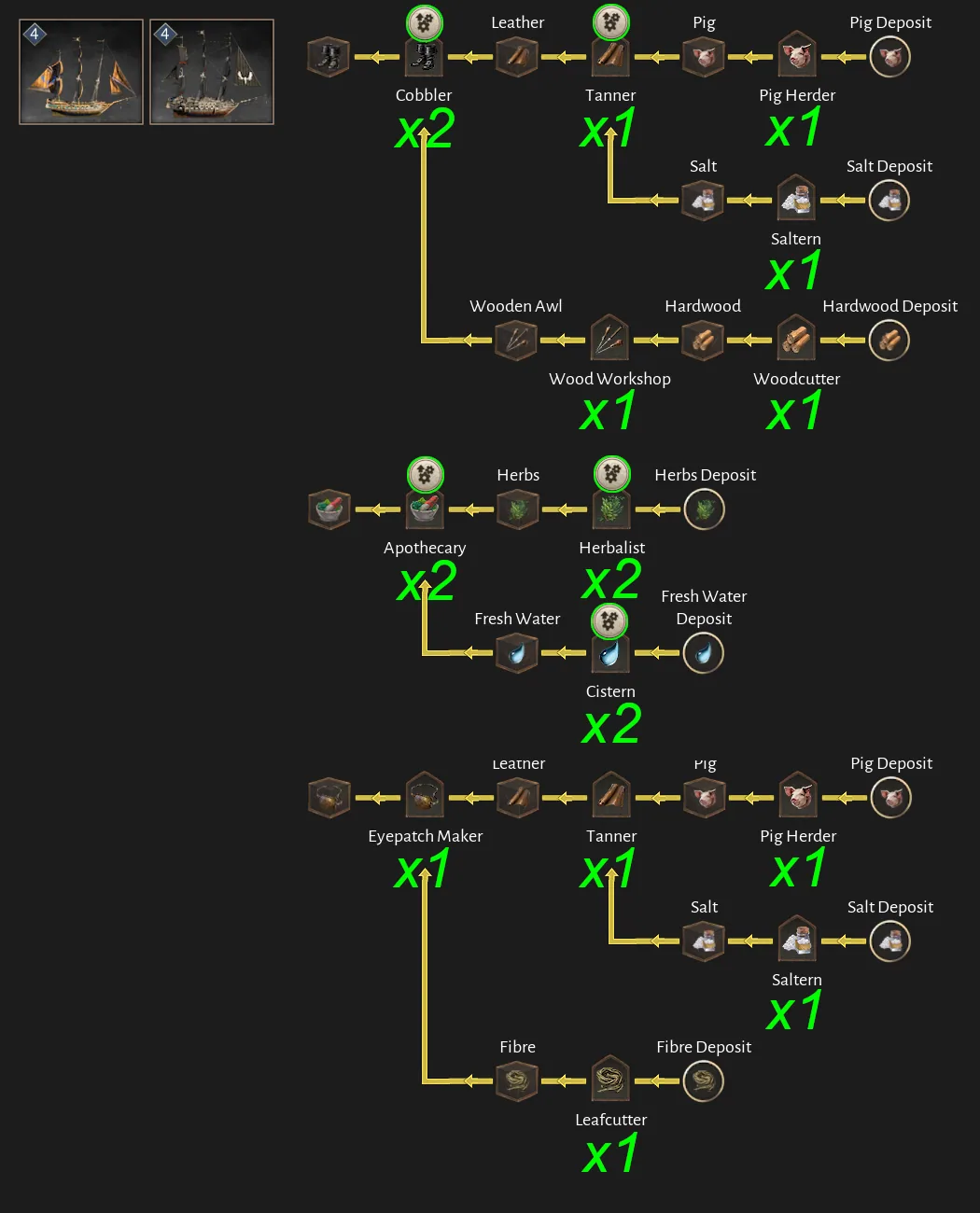
Providence & Bedlam
Community-calculated ship baseline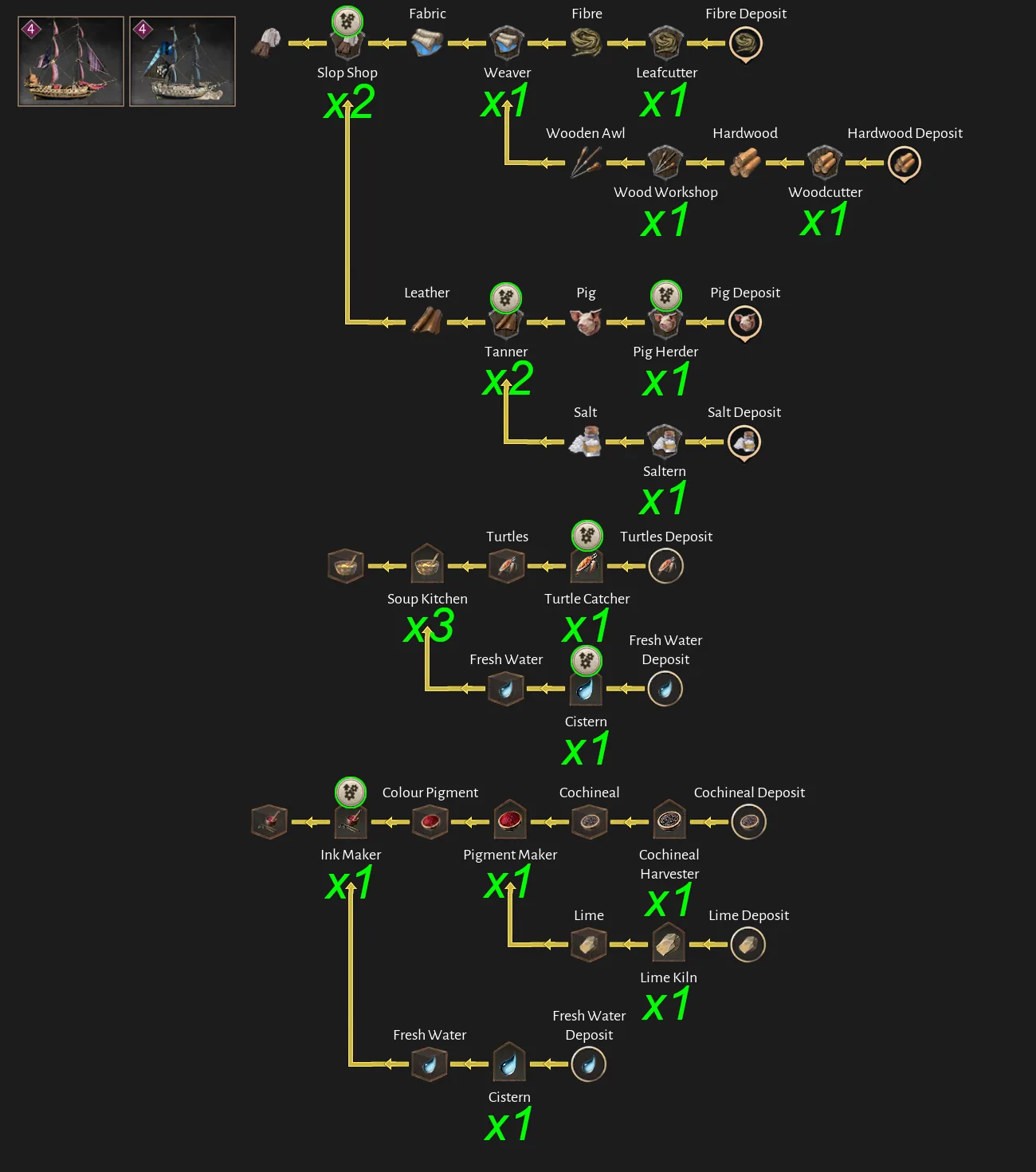
Level 5 ships
Eclipse
Community-calculated ship baseline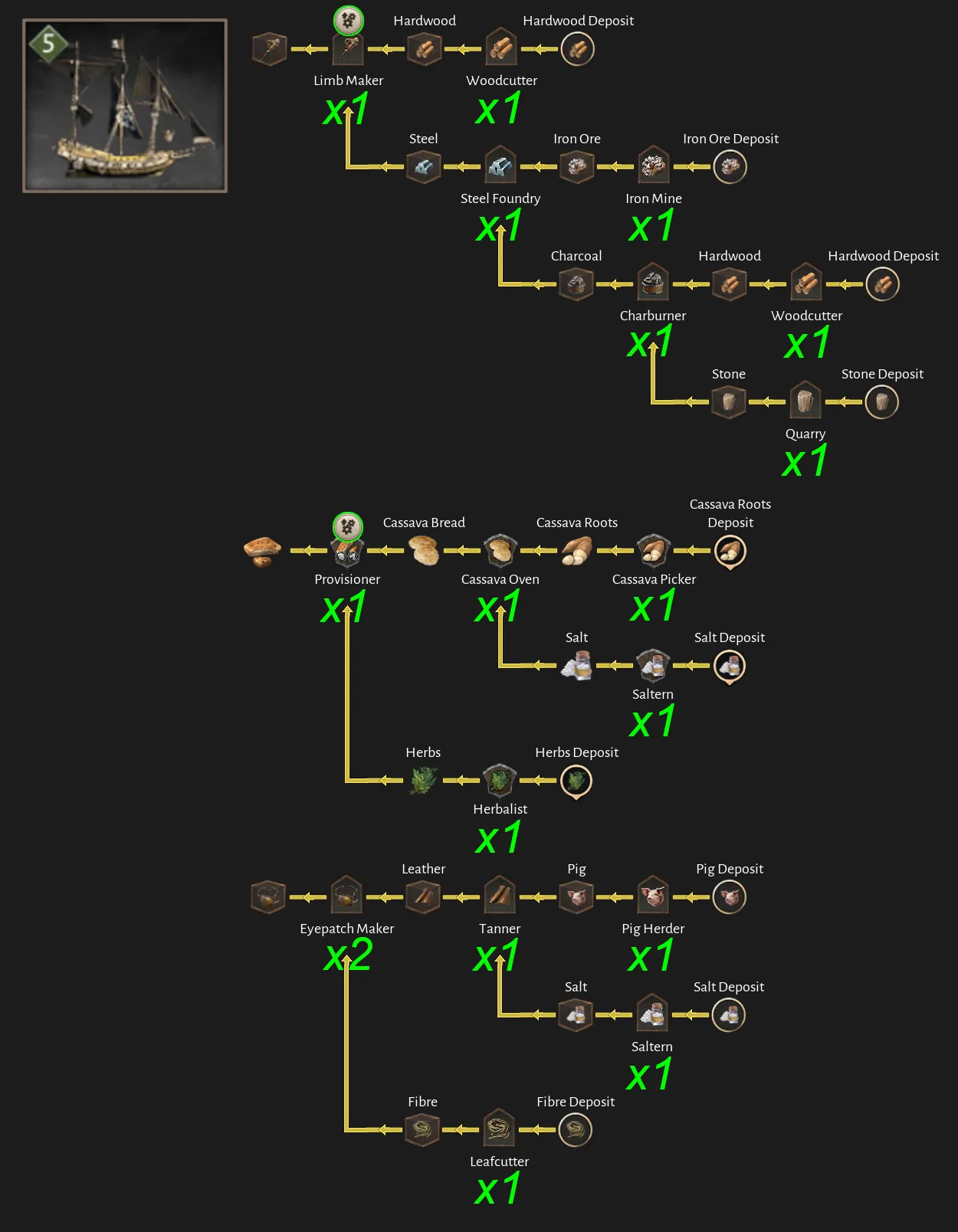
Warlord
Community-calculated ship baseline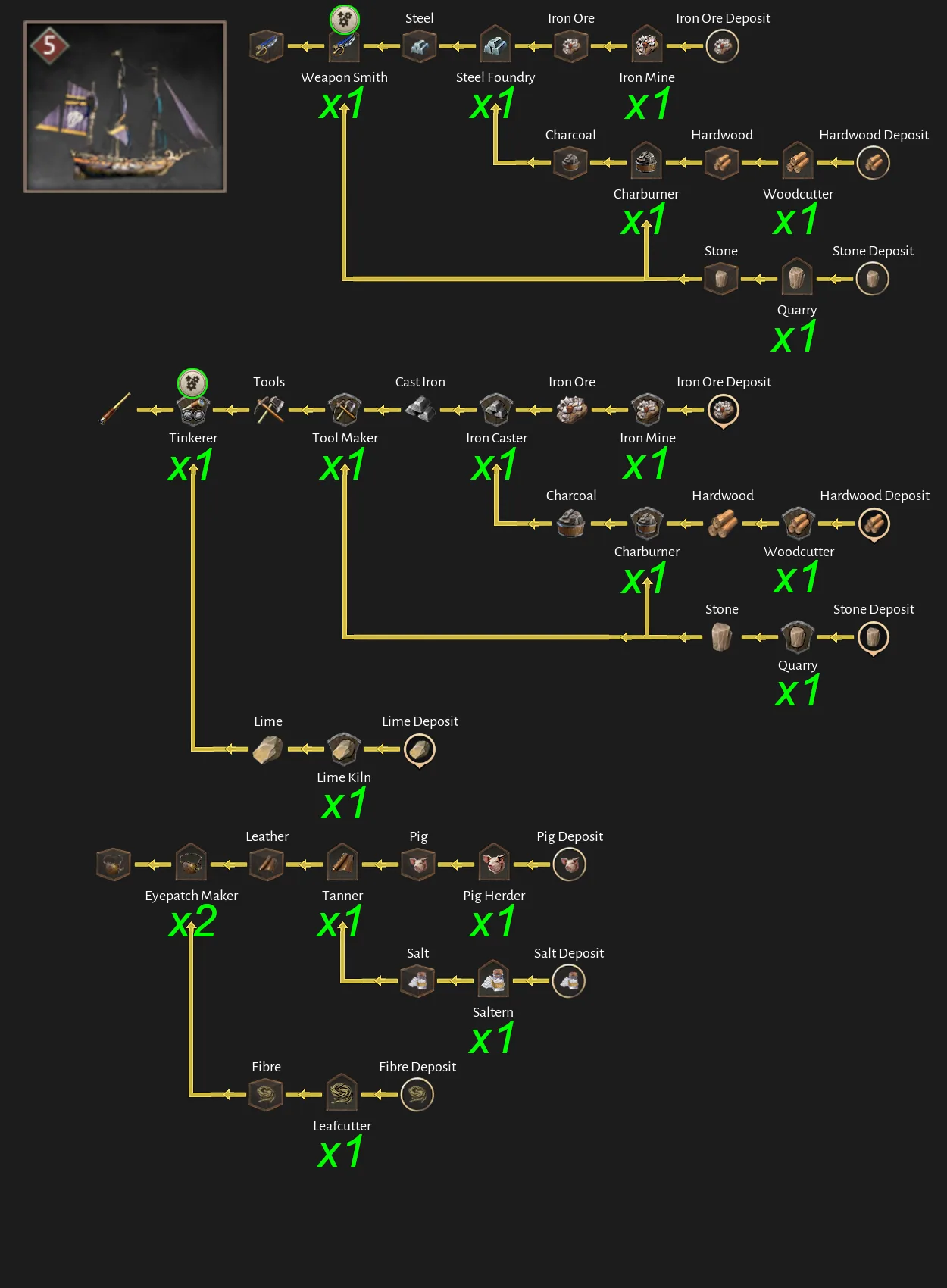
Stalker
Community-calculated ship baseline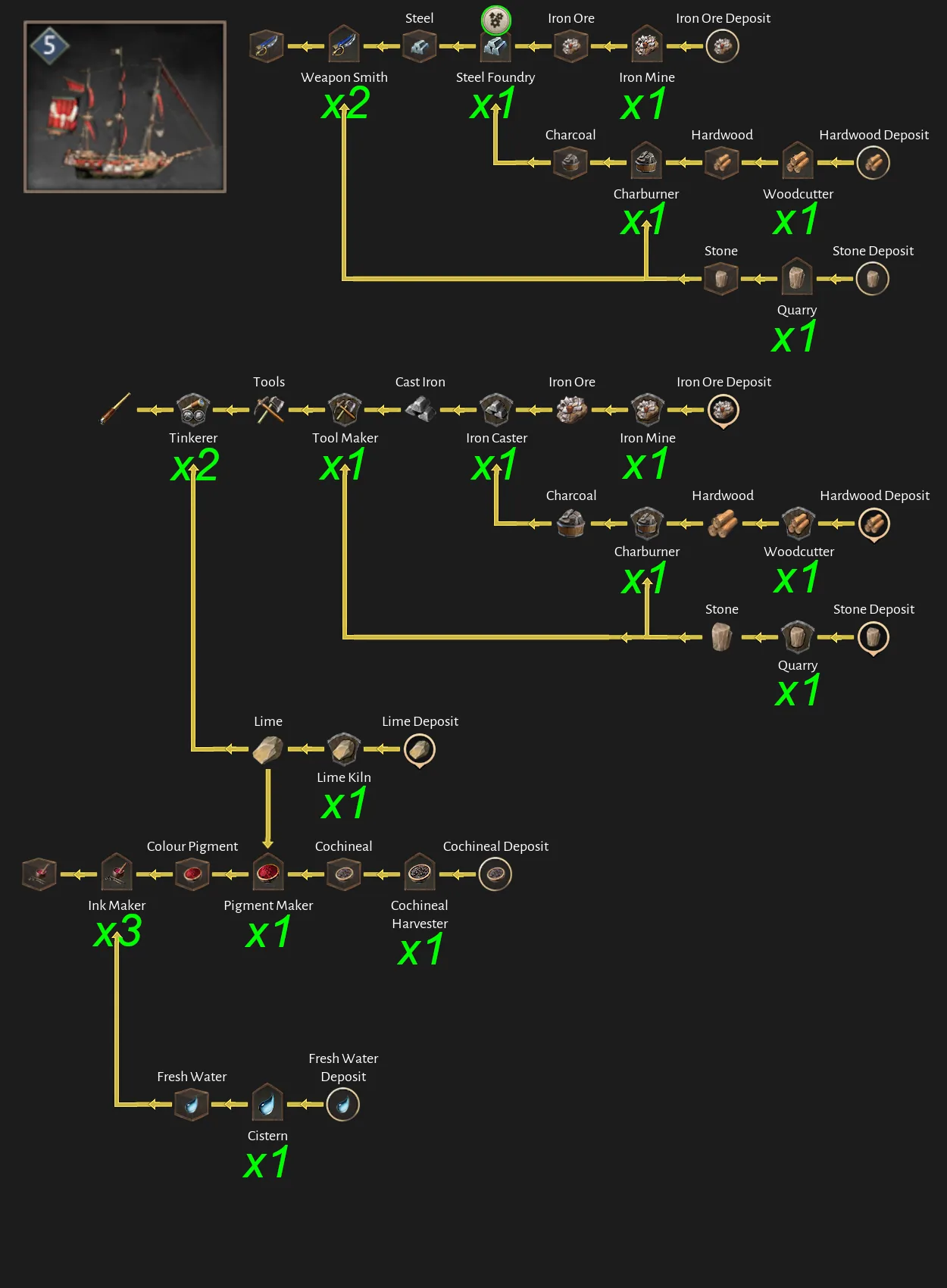
Thingum
Community-calculated ship baseline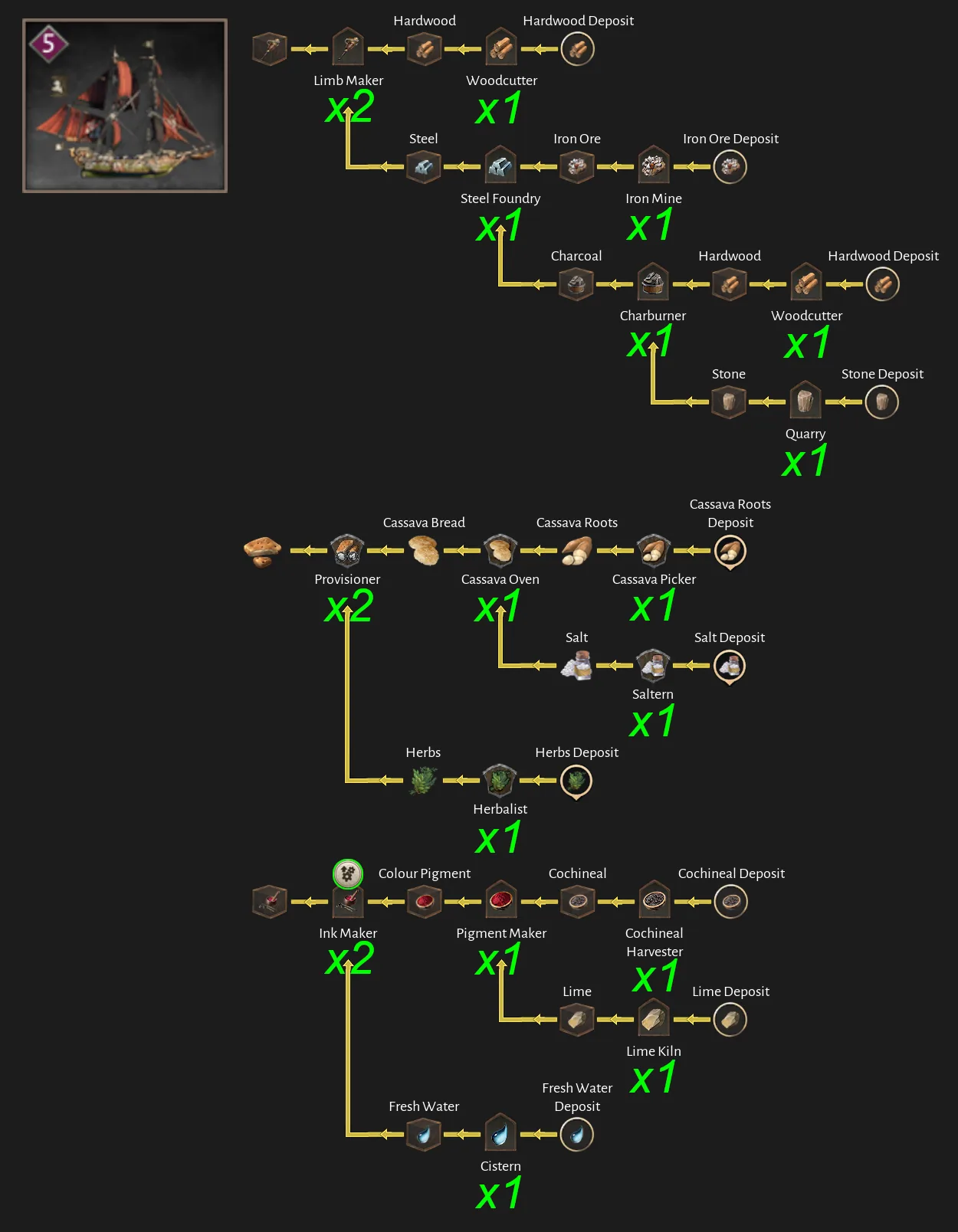
Level 6 ships
Wrath Bringer & Neptune
Community-calculated ship baseline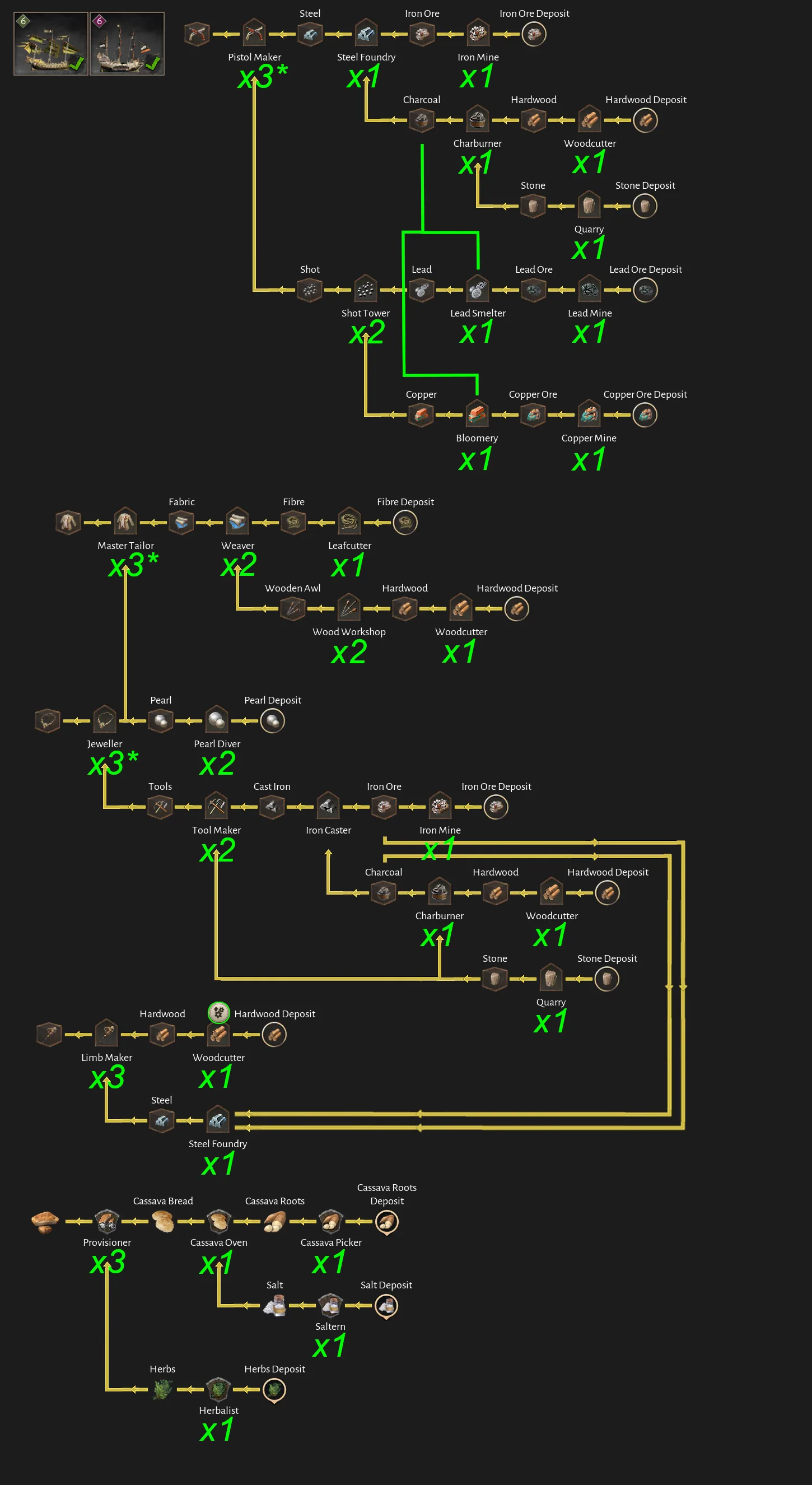
Wraith & Loki
Community-calculated ship baseline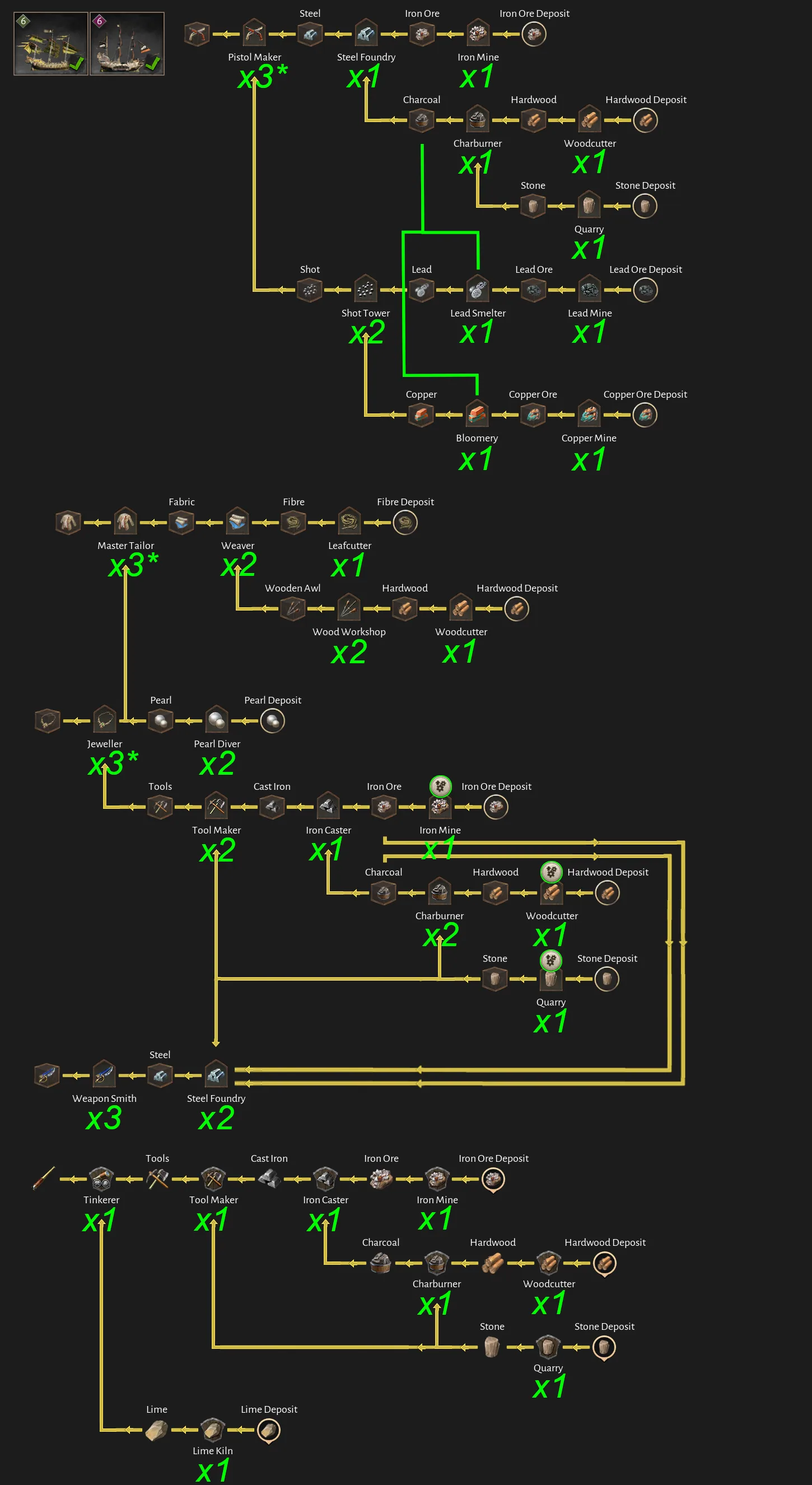
When the diagram works on paper but not in the haven
- 01Pause state and staffing
Confirm every required building is active and has the workers it needs.
- 02Immediate input
Start at the stalled consumer and inspect the first missing ingredient, not the final product total.
- 03Shared upstream demand
Add every consumer drawing from the same producer before deciding the source chain is large enough.
- 04Connection color and path
Correct red or accidental long routes and confirm vertical mobility where elevations change.
- 05Stock location
Compare source, intermediate warehouse and Pier inventories to find the handoff where goods stop moving.
- 06Current-version rates
Compare the diagram with the visible game values after patches, bonuses and upgrades.
For a calculated starting point, use the site's production planner. Its utilization setting is planning headroom, not a route-time formula.
Corsair Cove production FAQ
Are these Corsair Cove production ratios official?
No. The diagrams were created by Steam community author Dorce. They are useful planning references, but version changes, upgrades and logistics can change the result. The current game UI and official wiki take priority.
Do the diagrams include All Hands on Deck?
The source author says the general production-chain diagrams use base production without All Hands on Deck. The separate ship diagrams mark exceptions. Check every marker and your current in-game values before building.
Why does a mathematically balanced production chain still stall?
A ratio only describes production capacity. Staffing, pause state, missing inputs, long red connections, storage, fetcher capacity and Pier delivery can still constrain real throughput.
Should every producer connect directly to a ship Pier?
Not necessarily. A warehouse beside the Pier can consolidate repair and construction materials, while other configured warehouses can collect output from distant production areas.
How should I use the ship production diagrams?
Treat them as a baseline checklist for the listed ship or ships. Compare each required good with current Pier demand, aggregate demand shared by multiple consumers, and expand only the first measured shortage.
Sources and limits
What this page relies on
Images and diagram calculations are credited to Steam community author Dorce. Explanatory workflow text is our conservative interpretation of the visible guide content and does not claim hidden game formulas.
Corsair Cove Planner is an unofficial fan resource. When sources disagree, the current game UI and official documentation take priority.